Inspera Exam Viewing (Ultra)
After the exam is graded, students might book an appointment with you to view their exam paper. You could download the PDF submissions of individual students and print out the relevant ones for exam viewing.
- Access the exam from Inspera - Grade.
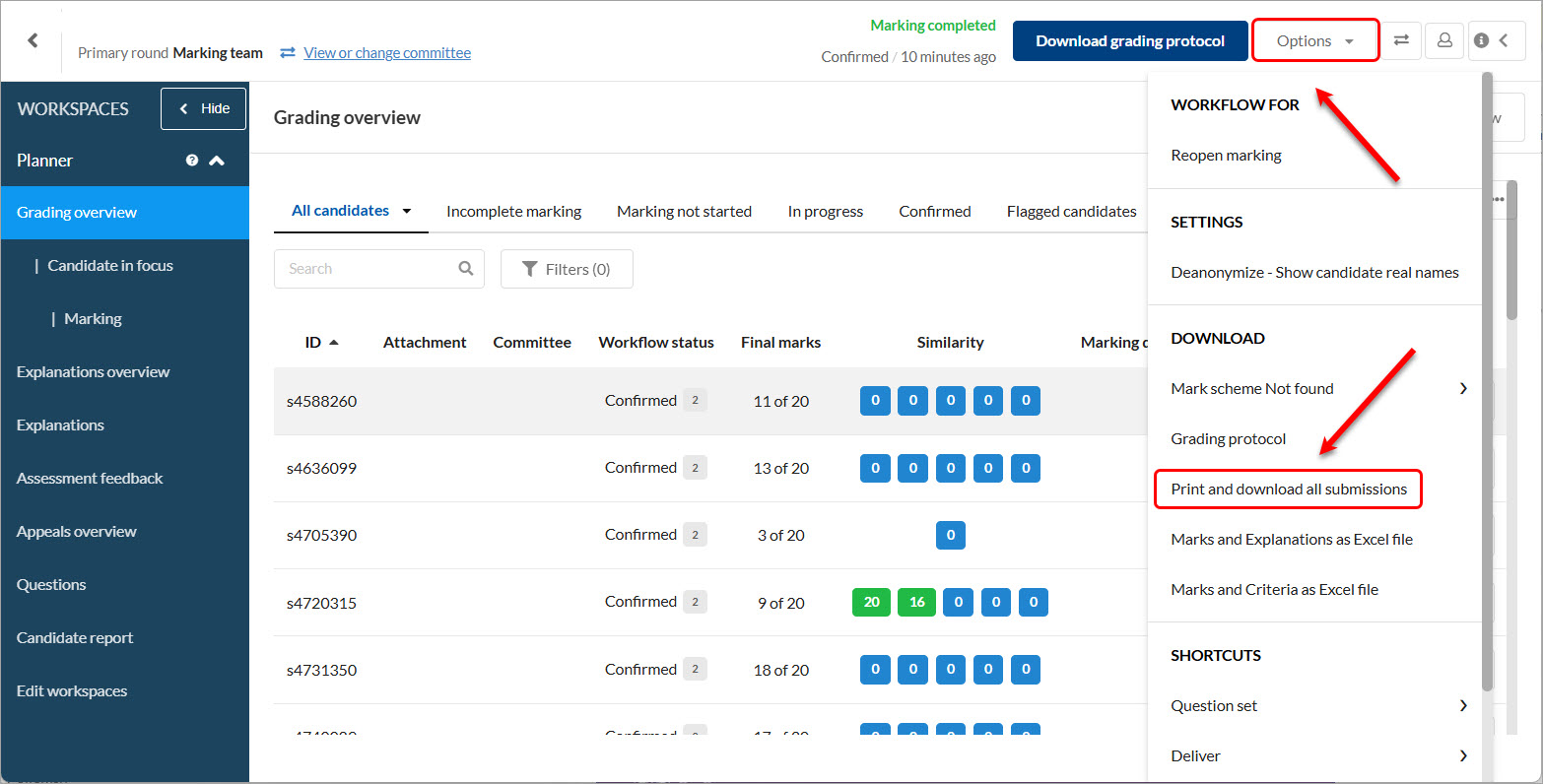
- Click on the Options button.
- Select the Print and download all submissions option from the dropdown menu.
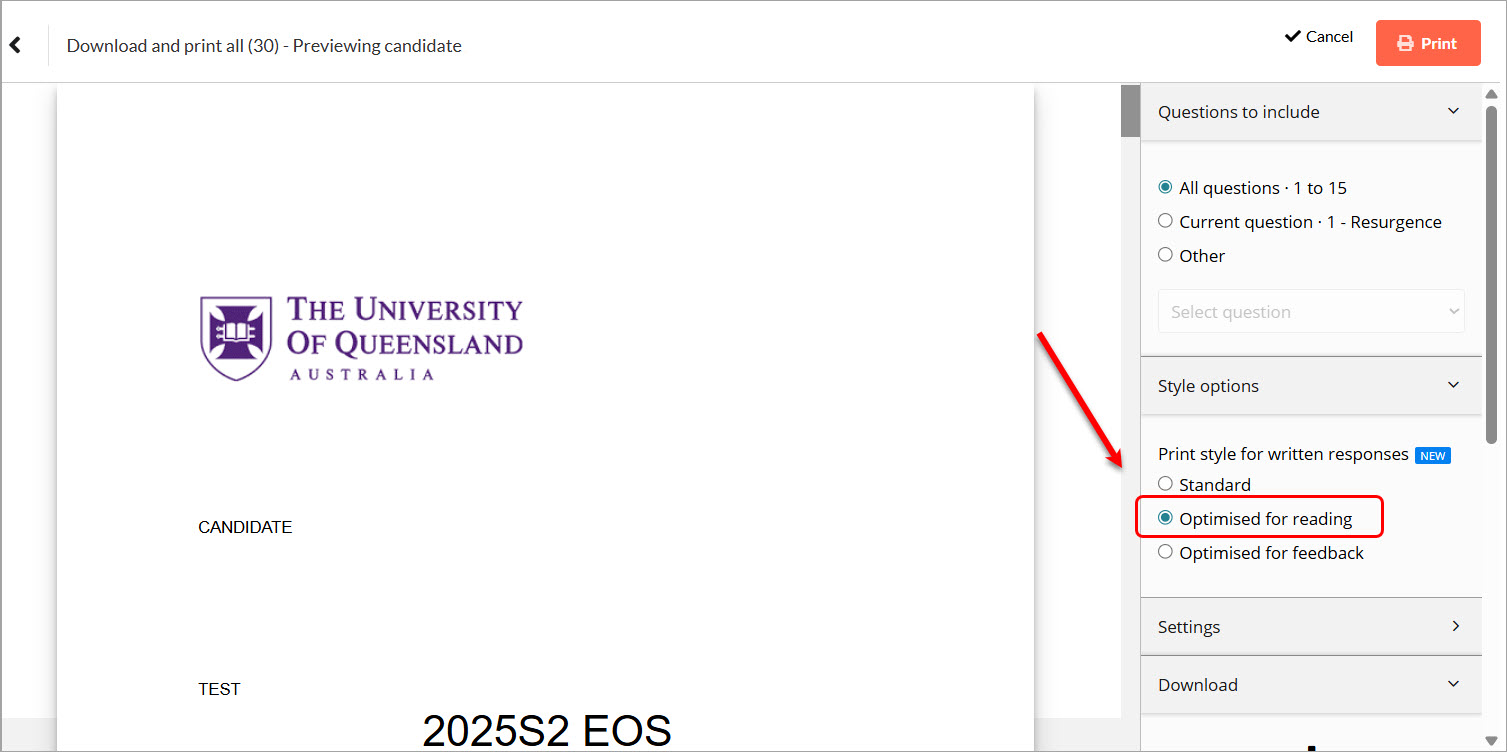
- Select the option Optimised for reading. This option maximises the text to allow clearer viewing on paper.
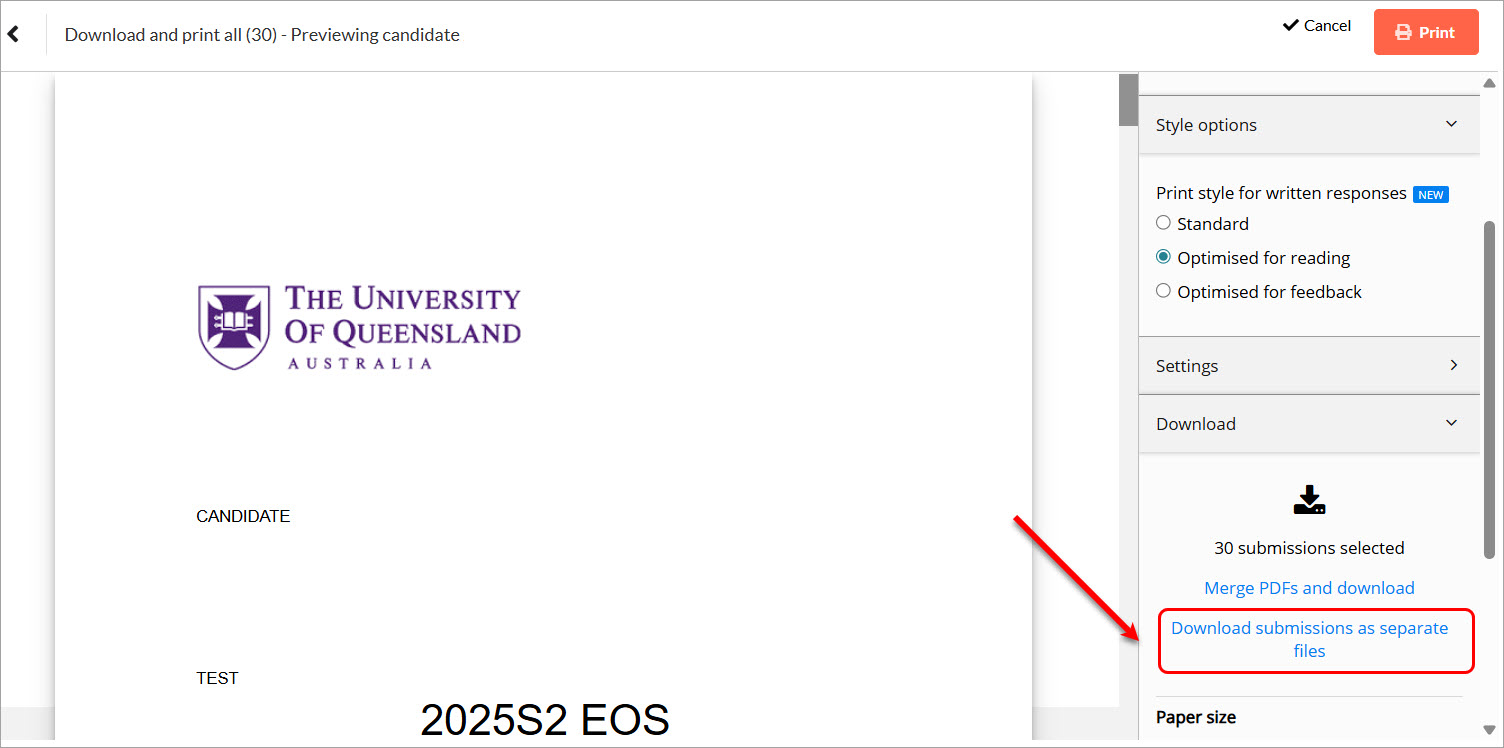
- Select the option Download submissions as separate files. You will then be able to print the required submission papers for viewing.