Create a Gradescope Exam/Quiz assignment for in-class tasks
This guide will walk you through the process of setting up a Gradescope Exam/Quiz assignment for marking in-class tasks.
3. Link to Learn.UQ Course (first use in course only)
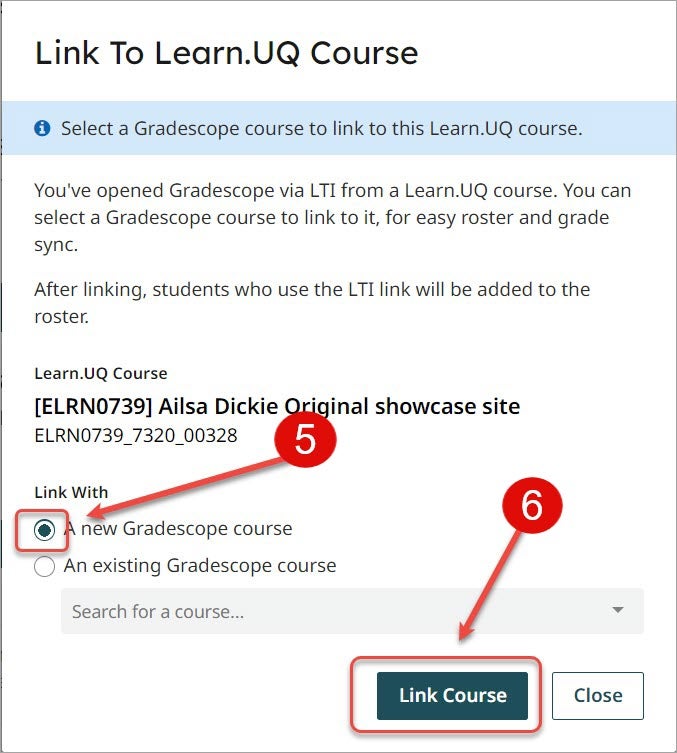
The first time you use Gradescope in a Learn.UQ course you need to link to it within the tool.
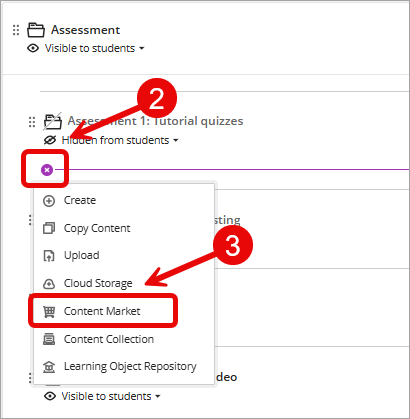
- Navigate to the required assessment folder.
- Click on the Add new content (+) sign.
- Select Content Market from the drop-down list.
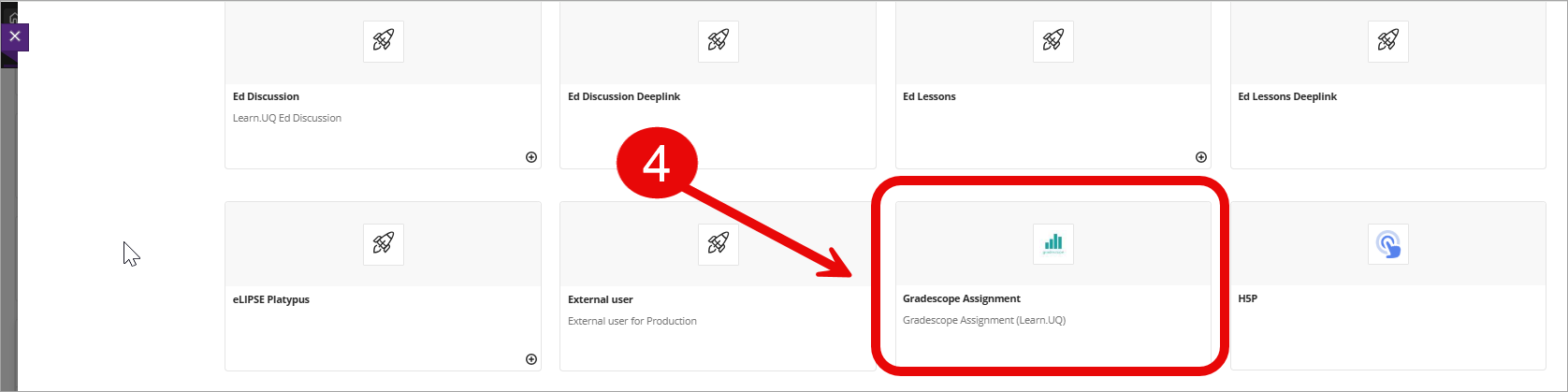
- Select Gradescope Assignment from the content market.
- Select the A new Gradescope course radio button.
- Click on the Link Course button.Click on the Close button.