Allow additional assignment attempts (Ultra)
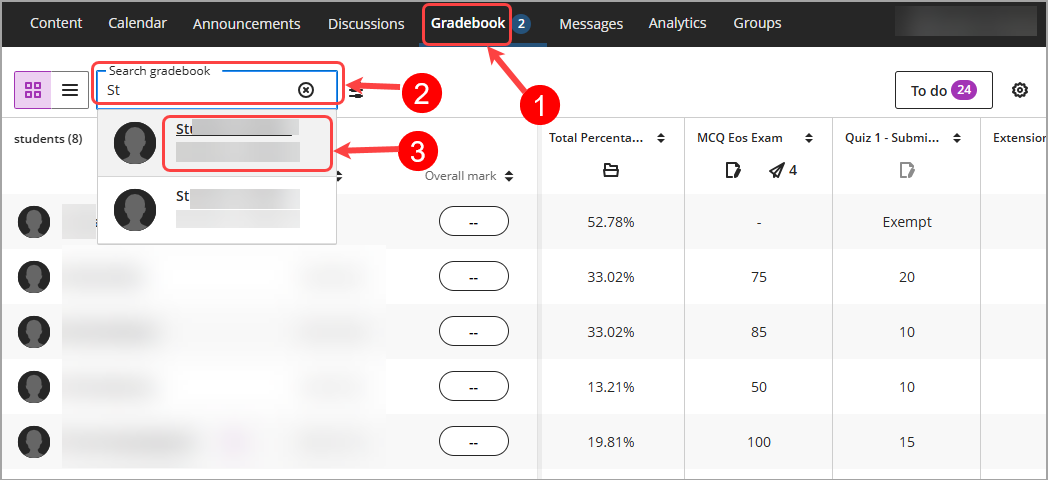
- Select Gradebook from the navigation bar.
Tip: The default view is Grid view, if you are in List view, please click on the Grid view (4 squares) button. - Click on the Search gradebook textbox, enter the student’s name.
- Select the student's name from the drop-down list.
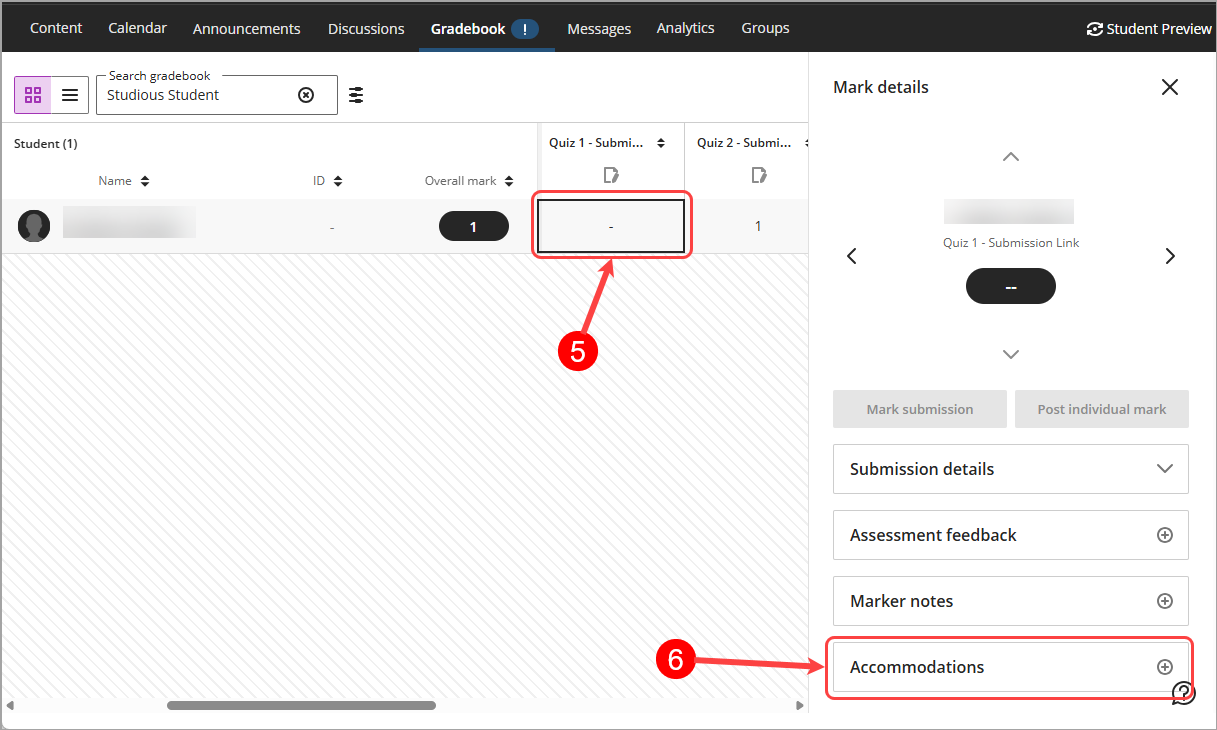
- Locate the column that requires additional attempts.
- Click on the [column name] cell to view the Mark details panel.
- Click on Accommodations button.
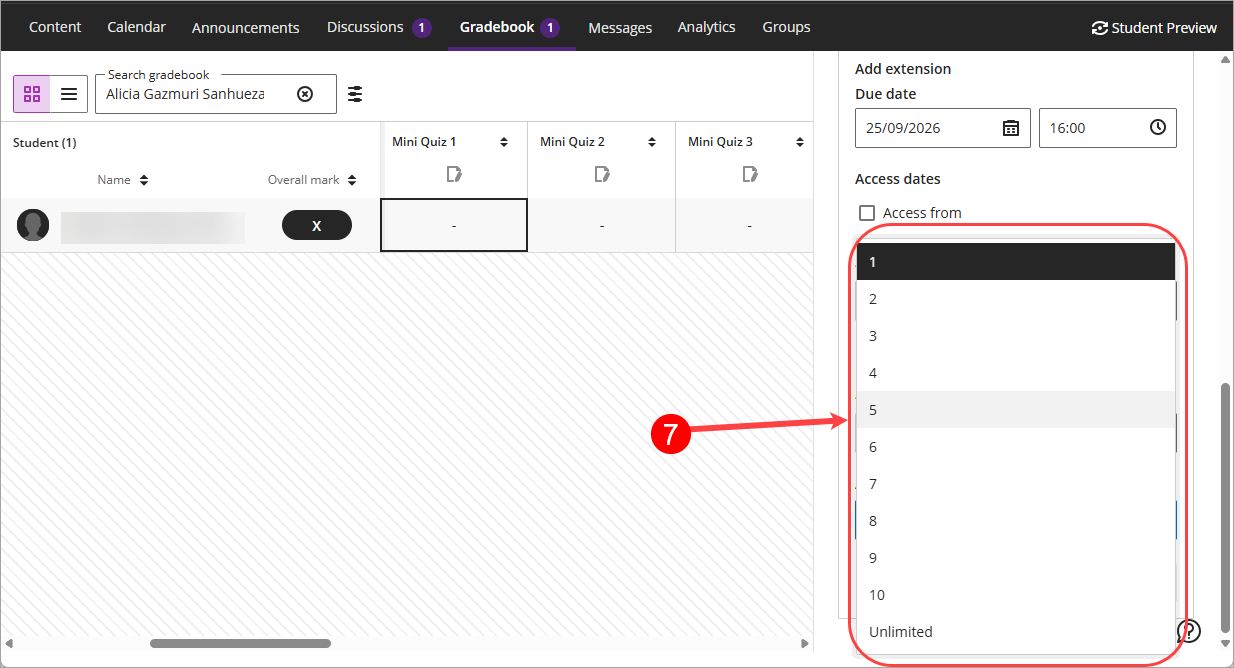
- Sets the number of attempts the student is allowed for the assessment from the Attempts allowed drop-down list.
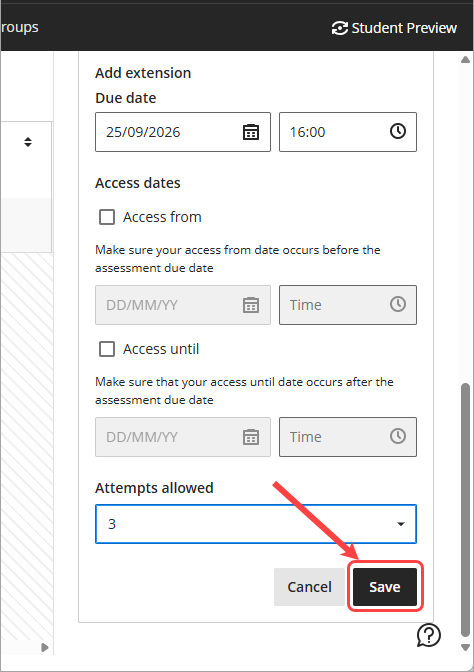
- Click on the Save button.