
Getting started with Learn.UQ (Ultra Student)
Learn.UQ (Blackboard) is the Learning Management System used to help deliver UQ courses.
Video guide
Watch the Getting started with Learn.UQ video (Echo360, 4m 40s)
4. Content: Tool links
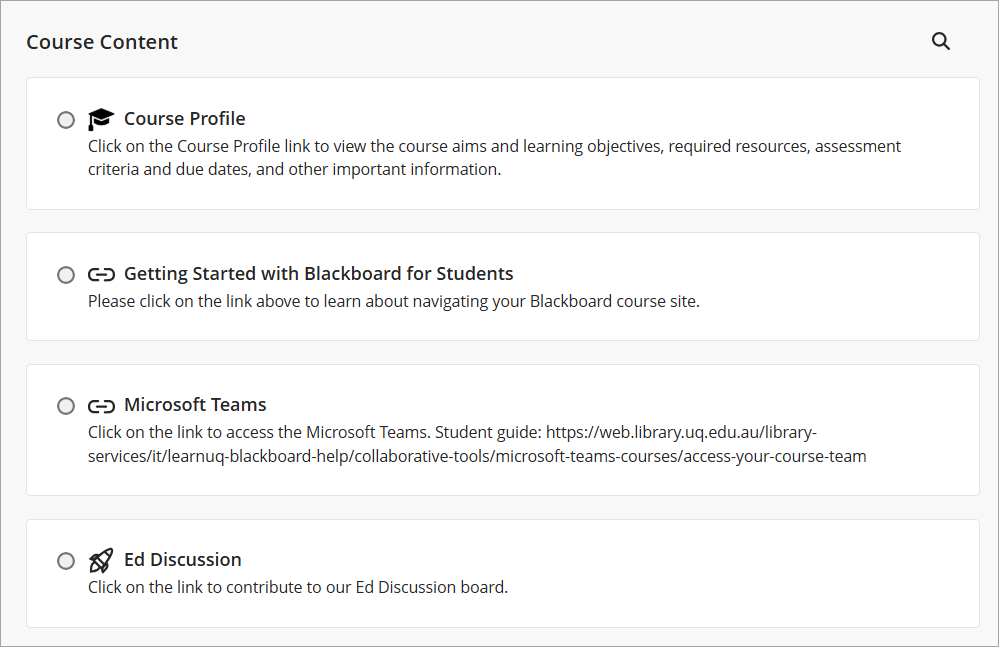
Course Profile
The Course Profile link is located at the top of the Content section. It outlines the course aims and learning objectives, required resources, assessment criteria and due dates, and other important information.
Getting Started with Blackboard for Students
A weblink to this Getting started with Learn.UQ guide will appear below the Course Profile link.
Microsoft Teams and Ed Discussion
If your course is using Microsoft Teams and/or Ed Discussion, the links will appear below this guide link.
Library AskUs team
The Library AskUs team are available to provide student technical support with Learn.UQ (Blackboard) courses.