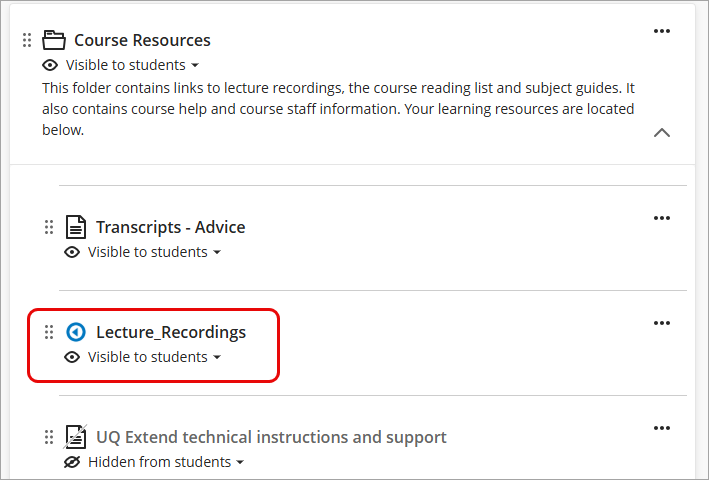
Add a Course Lecture Recording Link (Ultra)
A Lecture Recordings link is readily available in the Course Resources folder in your course site.
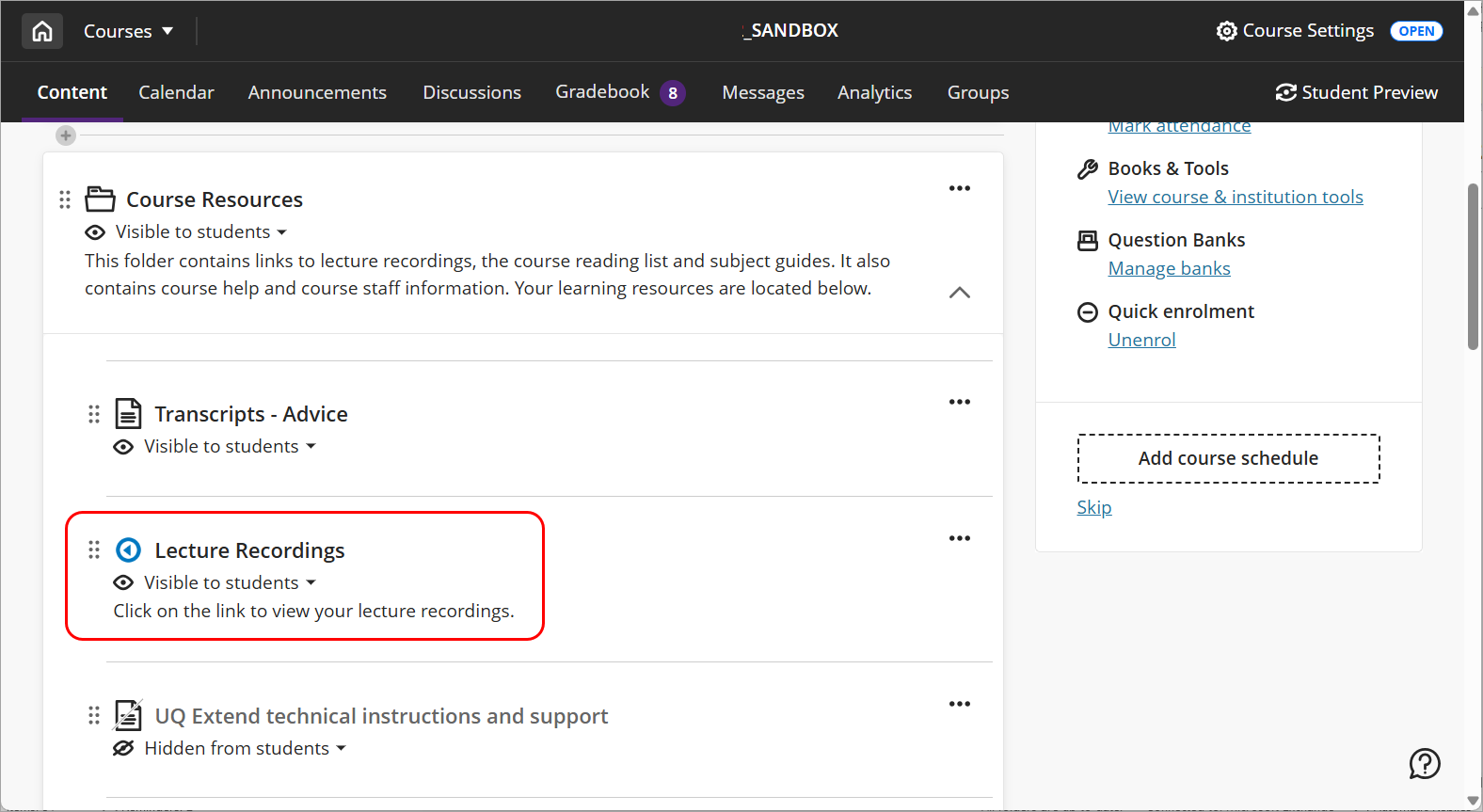
In case the Lecture Recordings link has been accidentally deleted, you can add the link by following the steps below.
Instructions
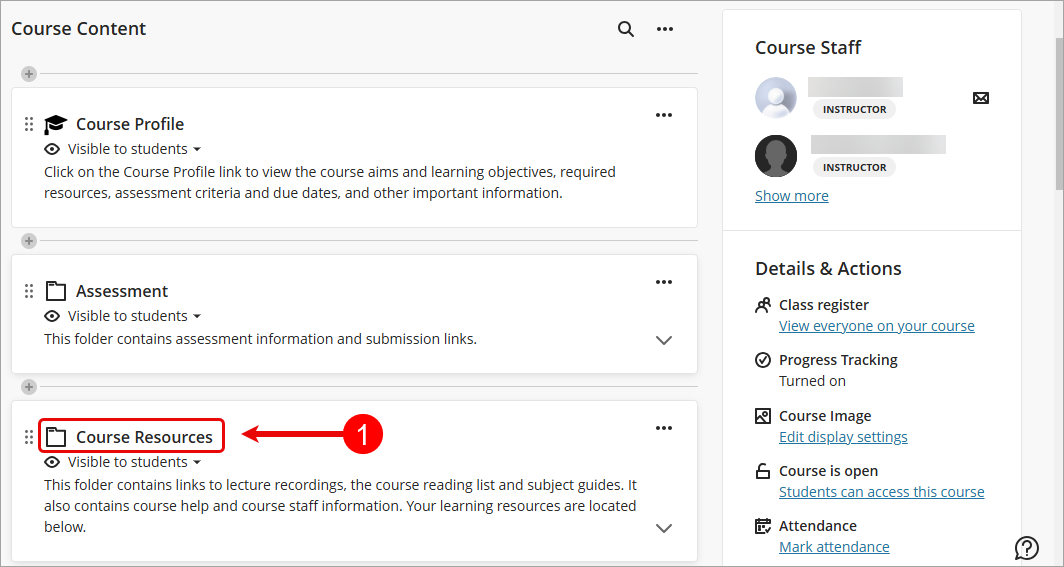
- From the Course Content page, select Course Resources.
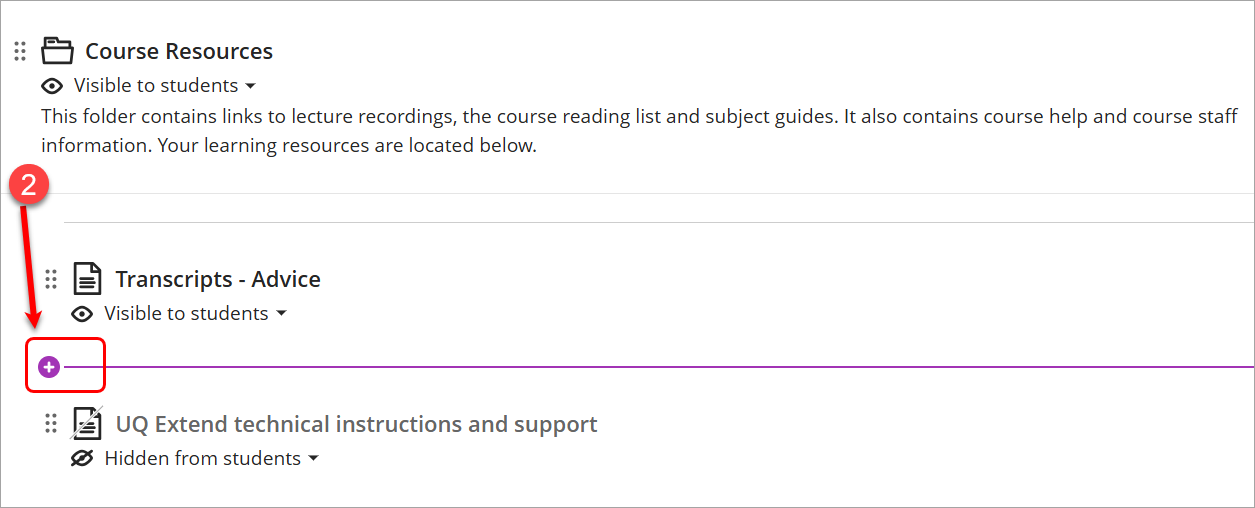
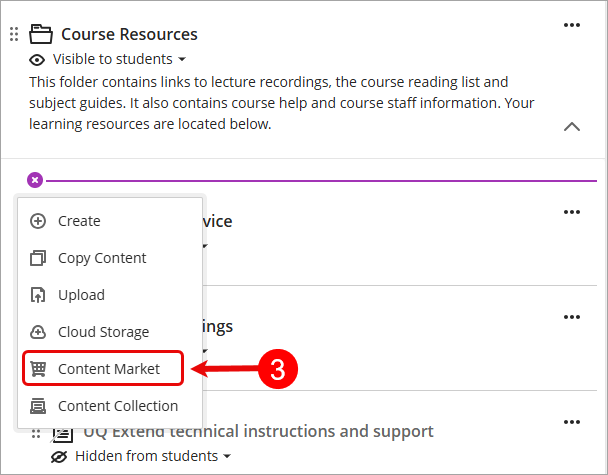
- Click on the Add new content (+) sign. Note: The Lecture Recordings link should be underneath the Transcrips - Advice item.
- Select Content Market from the Insert content drop-down list.
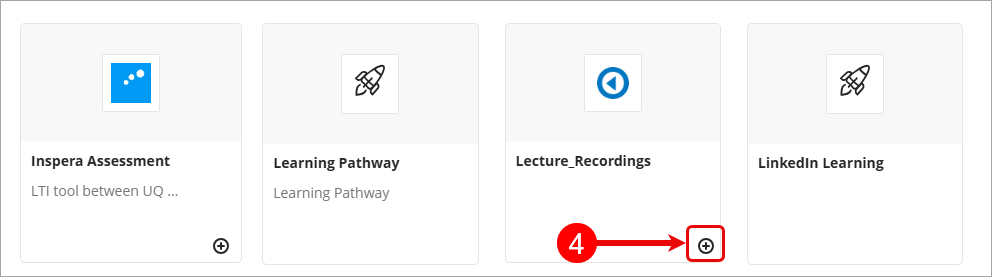
- From the Content Market, locate Lecture_Recordings and click on the Add placement (+) sign.
- Lecture recording will be added to the Content resources