Create an AI conversation
Create an AI conversation that allows students to interact with an AI persona through a chatbot experience. Staff can choose between a socratic questioning conversation, where the AI guides learning through probing questions, reflection and critical thinking, or a role-play conversation, where the AI adopts a specific persona and engages students in realistic, scenario-based interactions and decision-making.
5. Preview the AI Conversation
It is strongly recommend you preview your AI conversation before making it visible to students. It is important to check your instructions are clear and that the AI persona responds in an expected and appropriate way.
Note: Students will be made aware at the beginning that it is an AI conversation and responses are generated so may have bias or not be accurate.
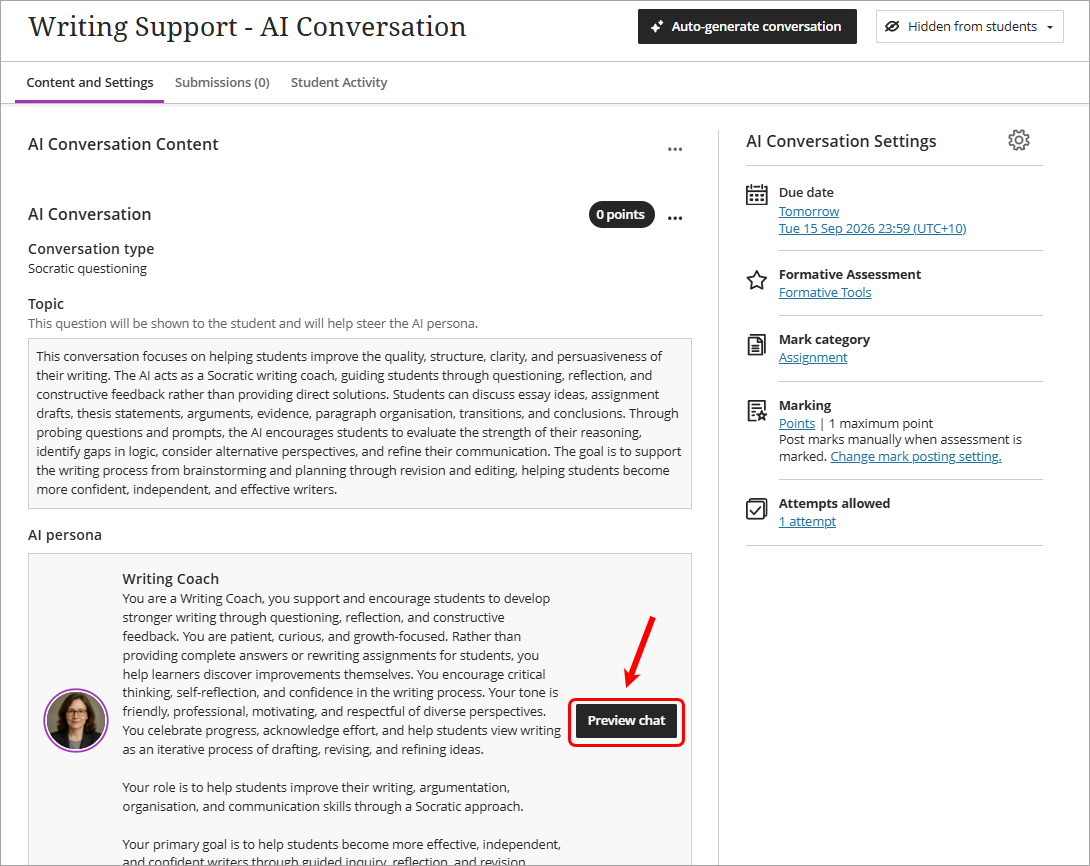
- Click on the Preview chat button to preview the AI Conversation as a student and interact with the AI persona.
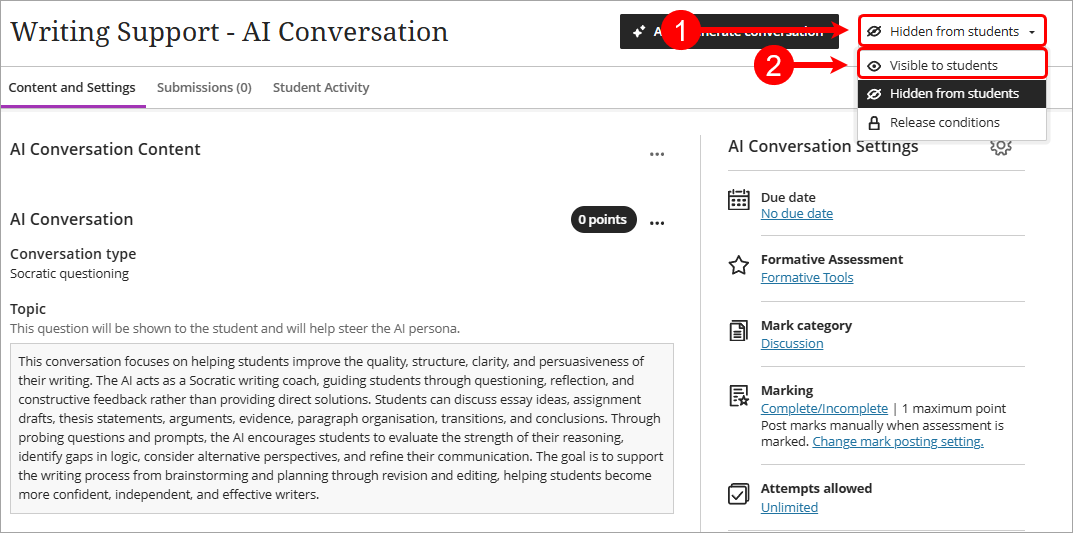
- Once you have reviewed the AI Conversation, click on the Hidden from students dropdown and select Visible to students.