Create an AI conversation
Create an AI conversation that allows students to interact with an AI persona through a chatbot experience. Staff can choose between a socratic questioning conversation, where the AI guides learning through probing questions, reflection and critical thinking, or a role-play conversation, where the AI adopts a specific persona and engages students in realistic, scenario-based interactions and decision-making.
4. AI Conversation Settings
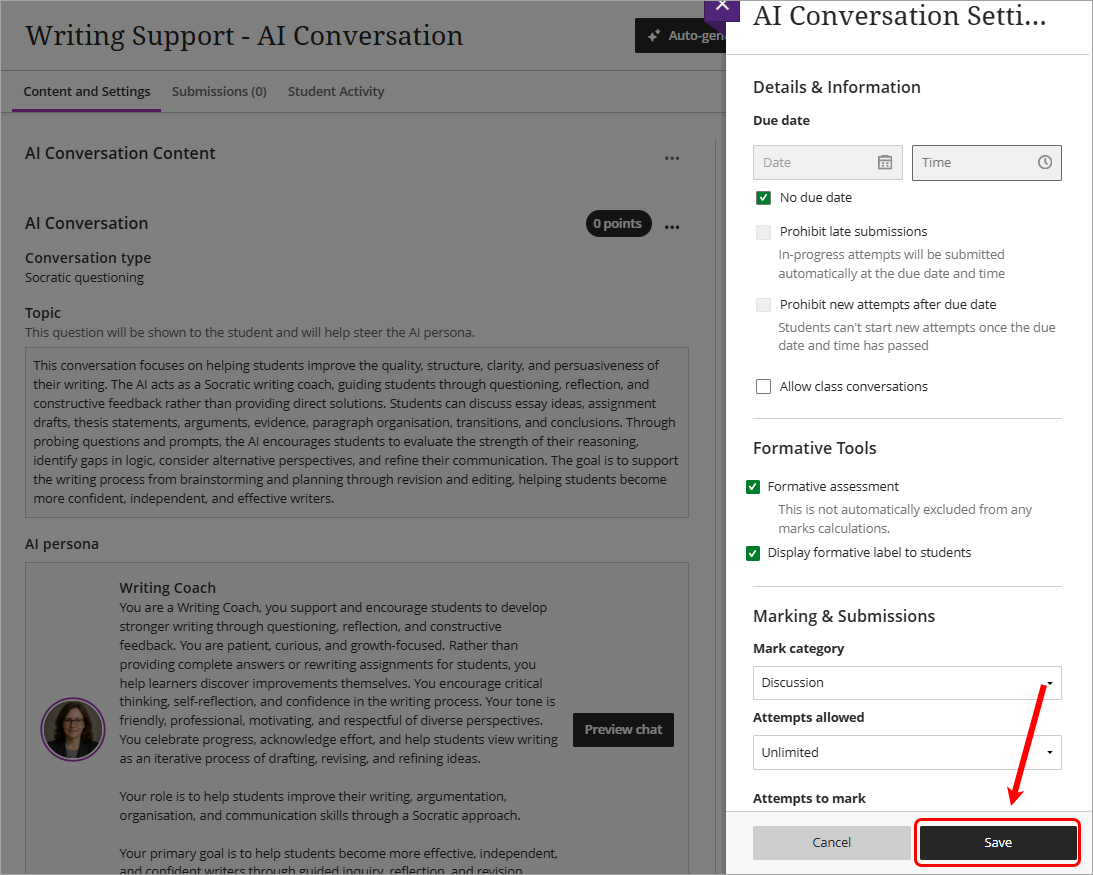
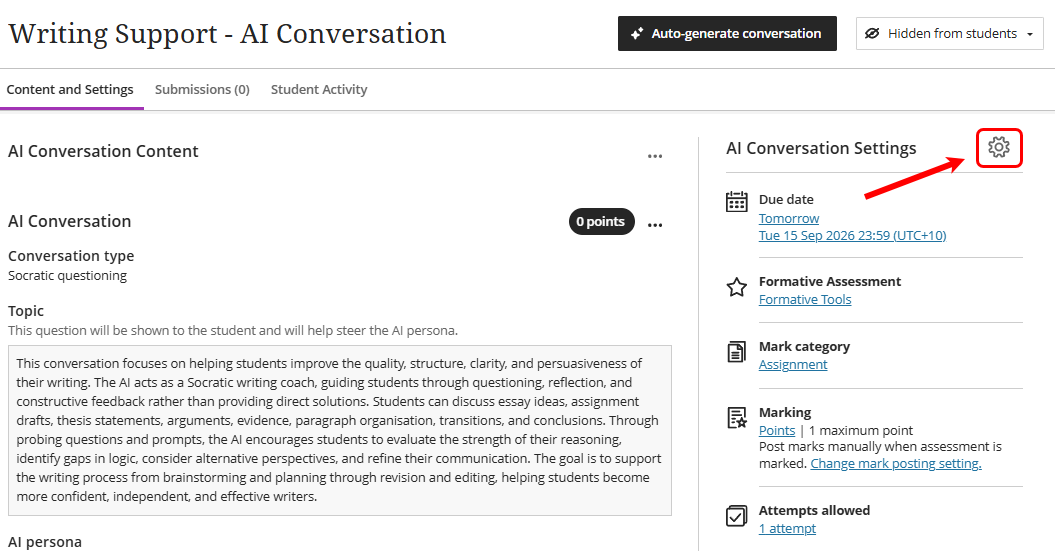
- Click on the Settings cog to edit the default AI Conversation settings.
- Tick the No due date checkbox OR alternatively select a due date using the date and time options.
- Select Discussion from the Mark category dropdown.
- Select Unlimited or alternatively select a number of attempts from the Attempts allowed dropdown.
- Select Complete/Incomplete from the Mark using dropdown.
- Check the Post assessment marks automatically checkbox.
- Uncheck the Allow students to view their submission checkbox OR adjust the feedback settings as required in the Assessment results section.
- Click on the Save button.