Create an AI conversation
Create an AI conversation that allows students to interact with an AI persona through a chatbot experience. Staff can choose between a socratic questioning conversation, where the AI guides learning through probing questions, reflection and critical thinking, or a role-play conversation, where the AI adopts a specific persona and engages students in realistic, scenario-based interactions and decision-making.
2. Option 1: Auto-generate an AI Conversation
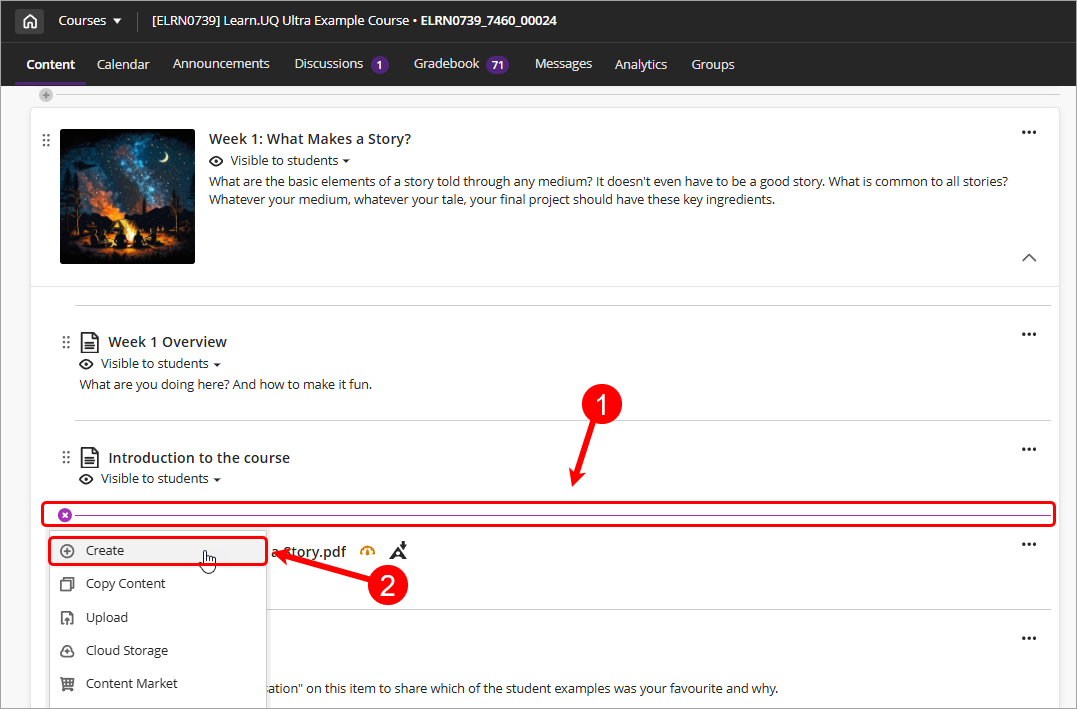
Click on the Add Content (plus) button and select Create from the dropdown.
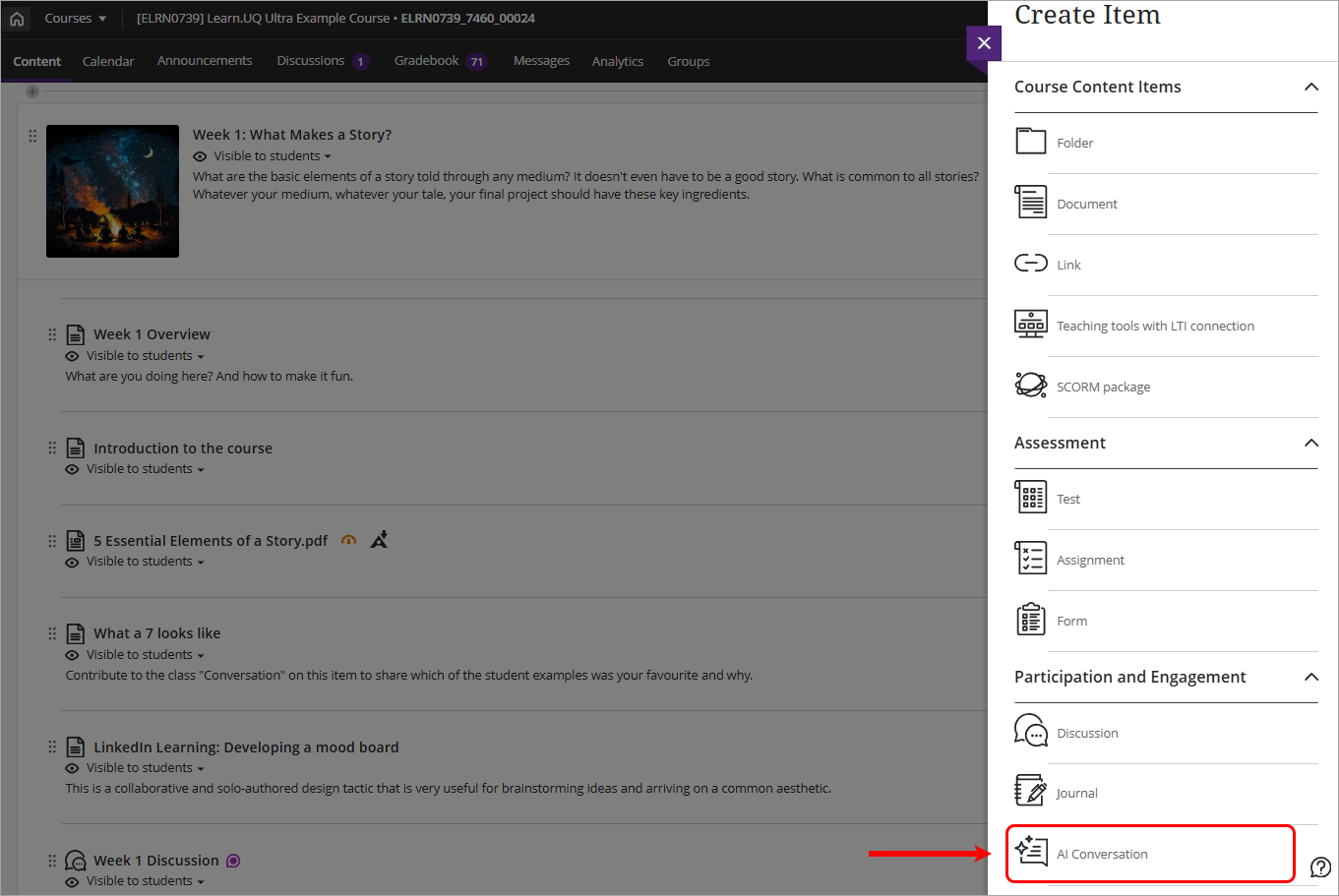
Select AI Conversation under the Participation and Engagement section.
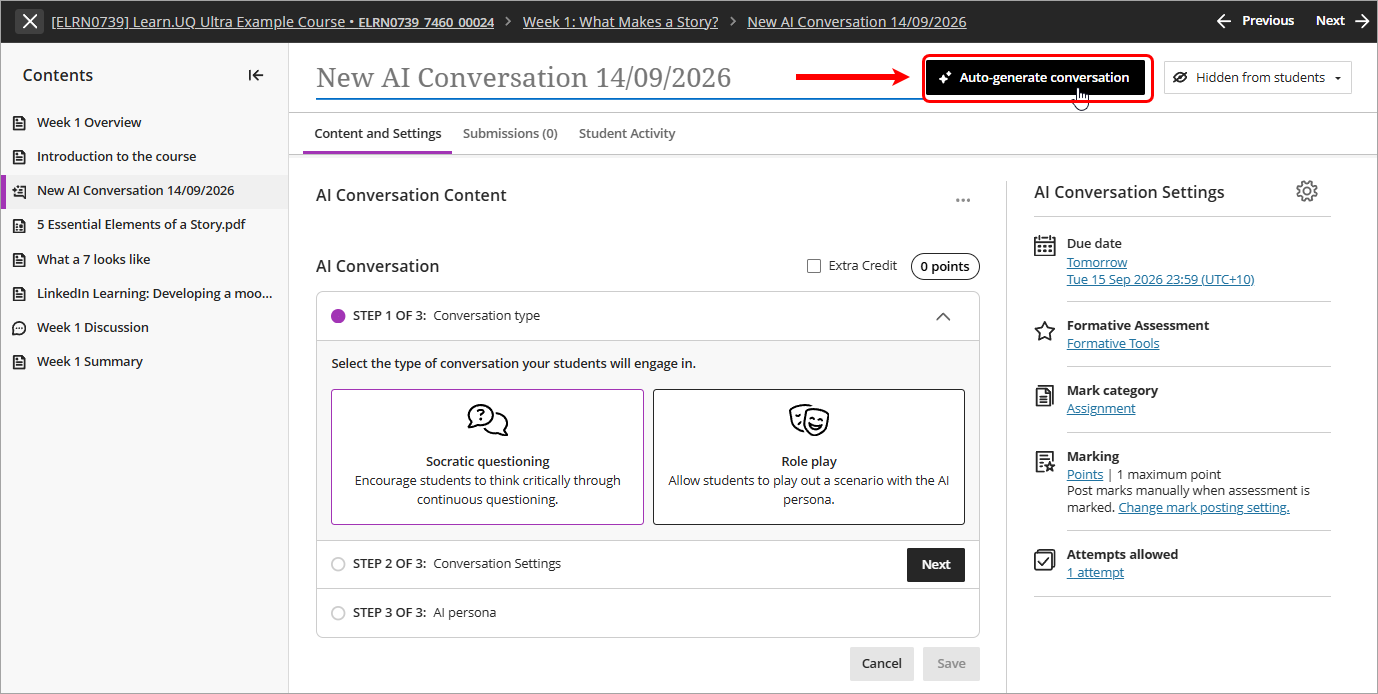
- Click on the Auto-generate conversation button.
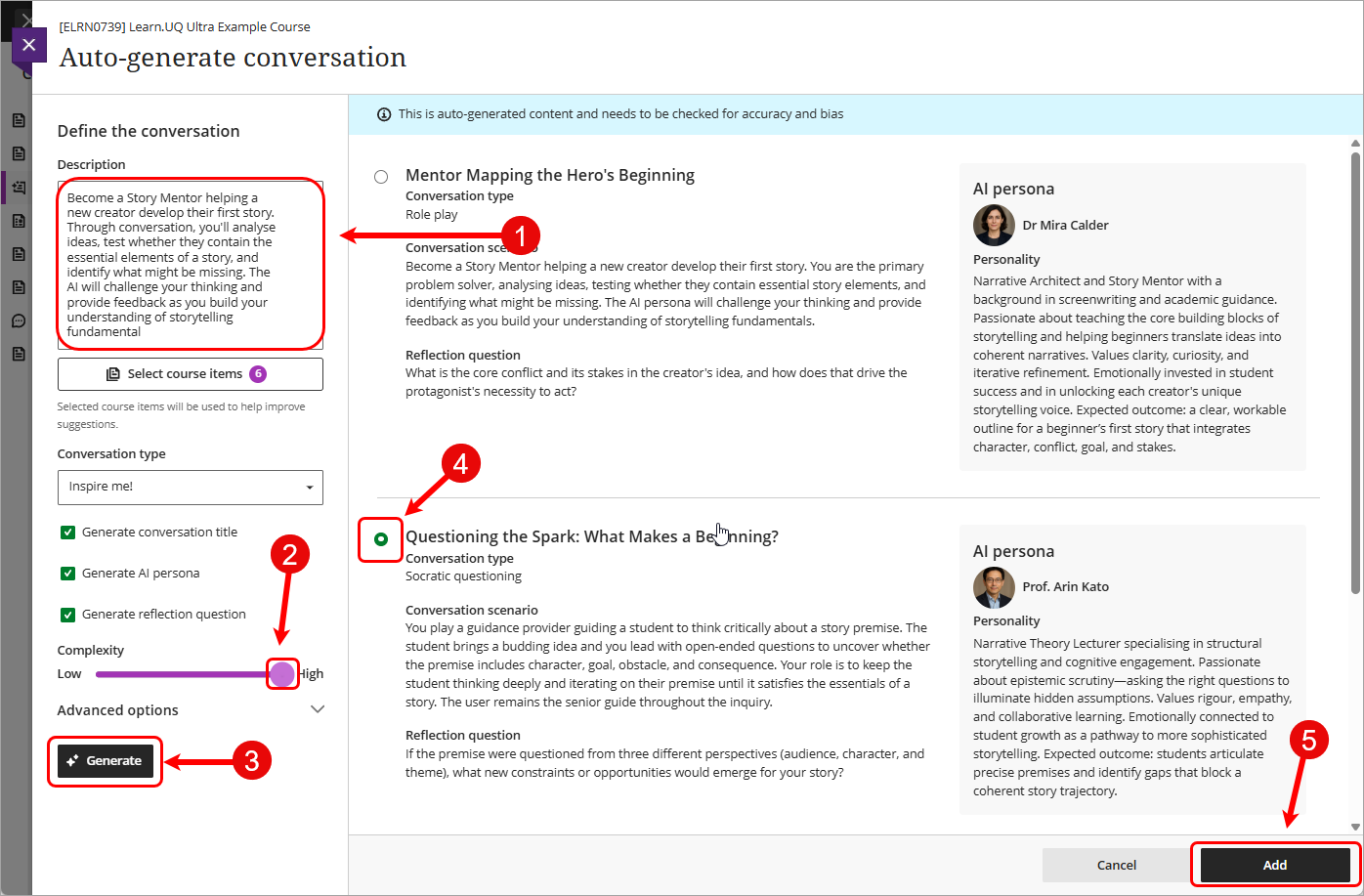
- Enter in a detailed prompt in the Description checkbox.
- Optionally, click on the Select course items button to select course items you would like the AI Design Assistant to provide context for the AI Conversation.
- Optionally, select Socratic questioning or Role-play from the Conversation type dropdown. Alternatively, leave the default as Inspire me!.
- Optionally, uncheck the checkboxes to exclude those parts of the AI conversation being generated.
- Drag the Complexity slider to High.
- Click on the Generate button.
- Select the radio button for one of the generated options.
Tip: If you are not happy with the auto-generated options, adjust your description and settings, then generate again.
- Click on the Add button.
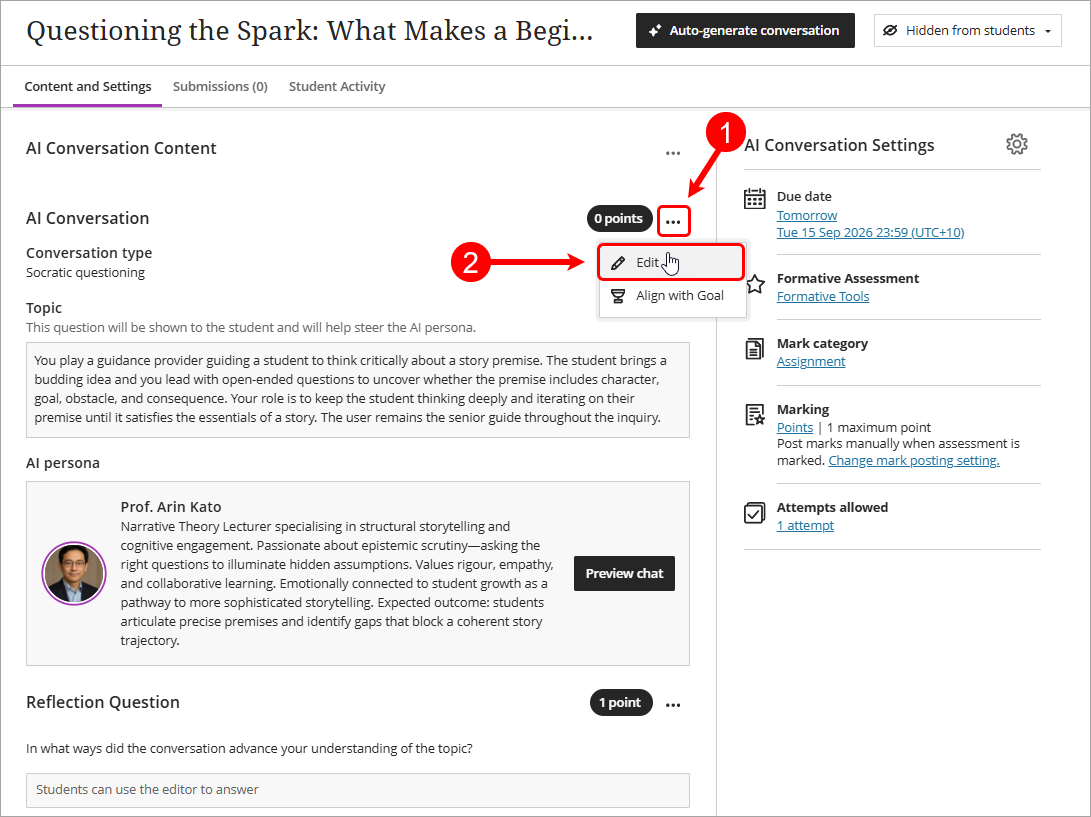
- Optionally, click on the three dots and select Edit from the dropdown to customise the auto-generated fields.