Create a Gradescope Bubble Sheet Assignment (Ultra)
This guide provides instructions on how to scan and mark paper bubble sheets using Gradescope.
Note: Use of Gradescope bubble sheets is a UQ centrally supported exam option.
Note: Gradescope will only work with papers using the Gradescope Bubble Sheet template.
Note: Gradescope uses US naming conventions for academic terms and will default to the current North American term time. Requests have been made with the vendor to provide Australian terms but in the meantime, staff and students can simply ignore the term name and refer only to the course name.
5. Edit Answer Key
Note: Questions may be either multiple choice (one correct answer) or accept multiple answers.
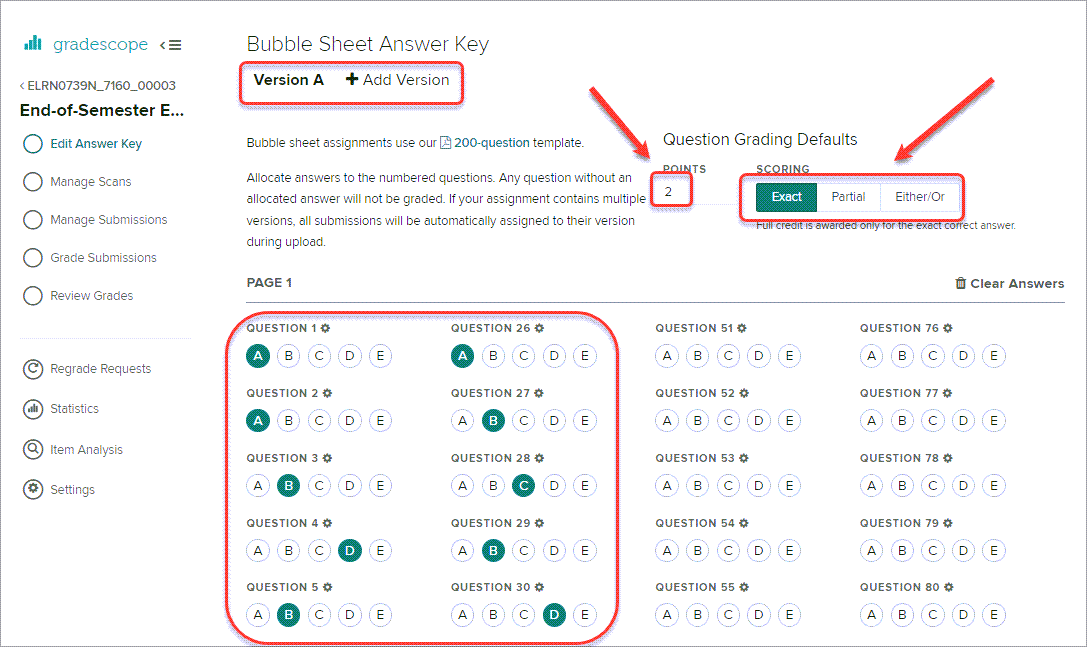
- Enter the number of points each question is worth in the POINTS box.
- Select a SCORING option:
- Exact - Full points are only awarded when all correct answers are selected
- Partial - Partial credit is awarded per correct answer selected. If an incorrect answer is selected, zero points are awarded.
- Either/Or - Full points are awarded when any of the correct answers are selected. If an incorrect answer is selected, zero points are awarded.
- Select one or more correct answers.
Note: You do not have to use all the answer options. i.e. Use just A / B for True / False questions.
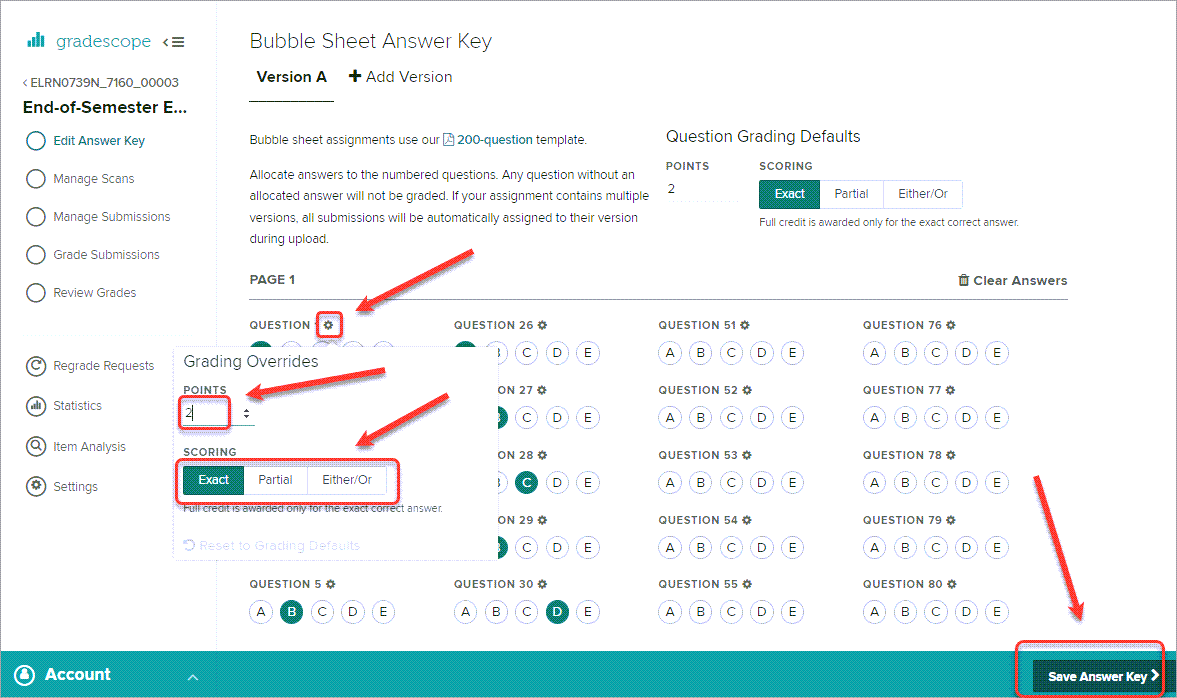
- Optionally, click on a question cog to change the POINTS and SCORING options for an individual question.
Note: Up to 5 different versions can be set up with different answer keys. For additional versions click on + Add Version and repeat the steps above for each version.
Note: It is recommended you supply the students with templates with the correct version prefilled. Refer to step Access Gradescope template.
- Click on the Save Answer Key > button.