Embed a H5P Object in a Learn.UQ course (Ultra)
Embedding a H5P object through Content Market in your course has the advantage of the activity displaying inline. The disadvantage of this option is that the results of the activity cannot be transferred to Gradebook, however they are available through Reports in H5P.
Alternatively, you can link a H5P object in your Learn.UQ course site which will allow results to be transferred to Gradebook and H5P Reports, however the activity is displayed as a web link which opens in a separate browser tab.
2. Edit H5P LTI settings
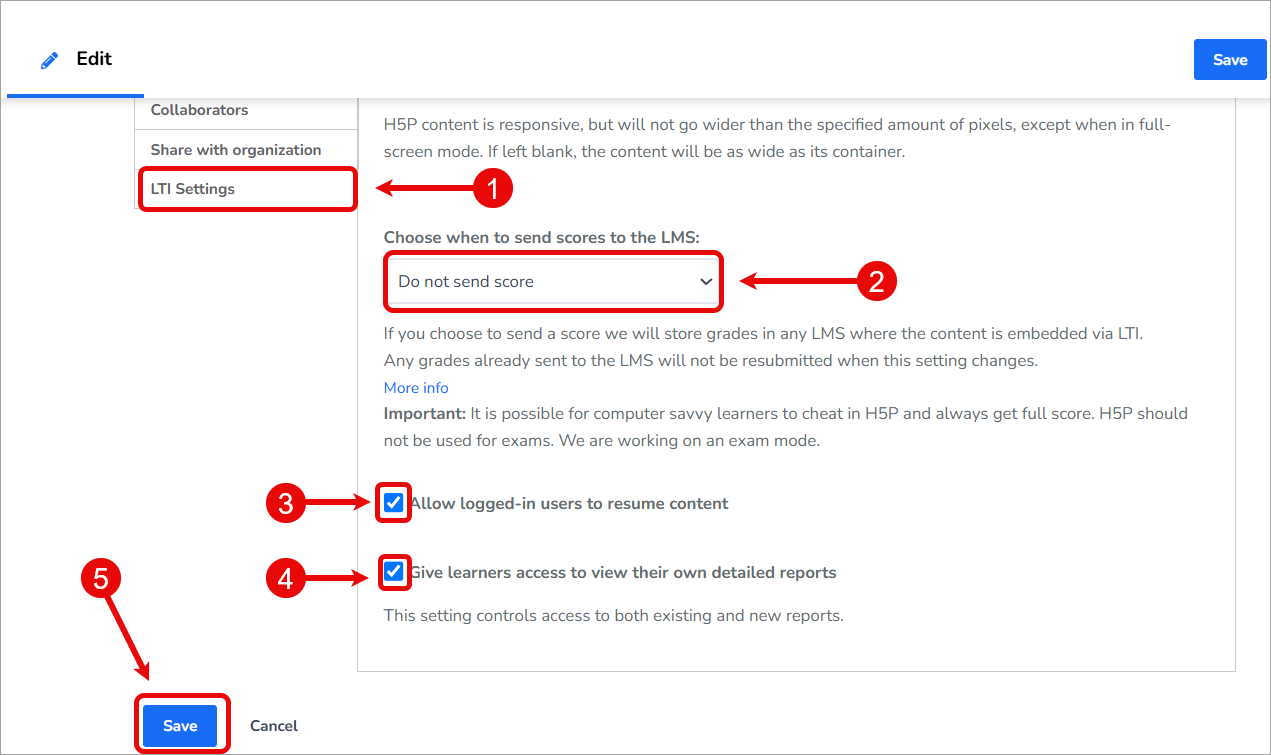
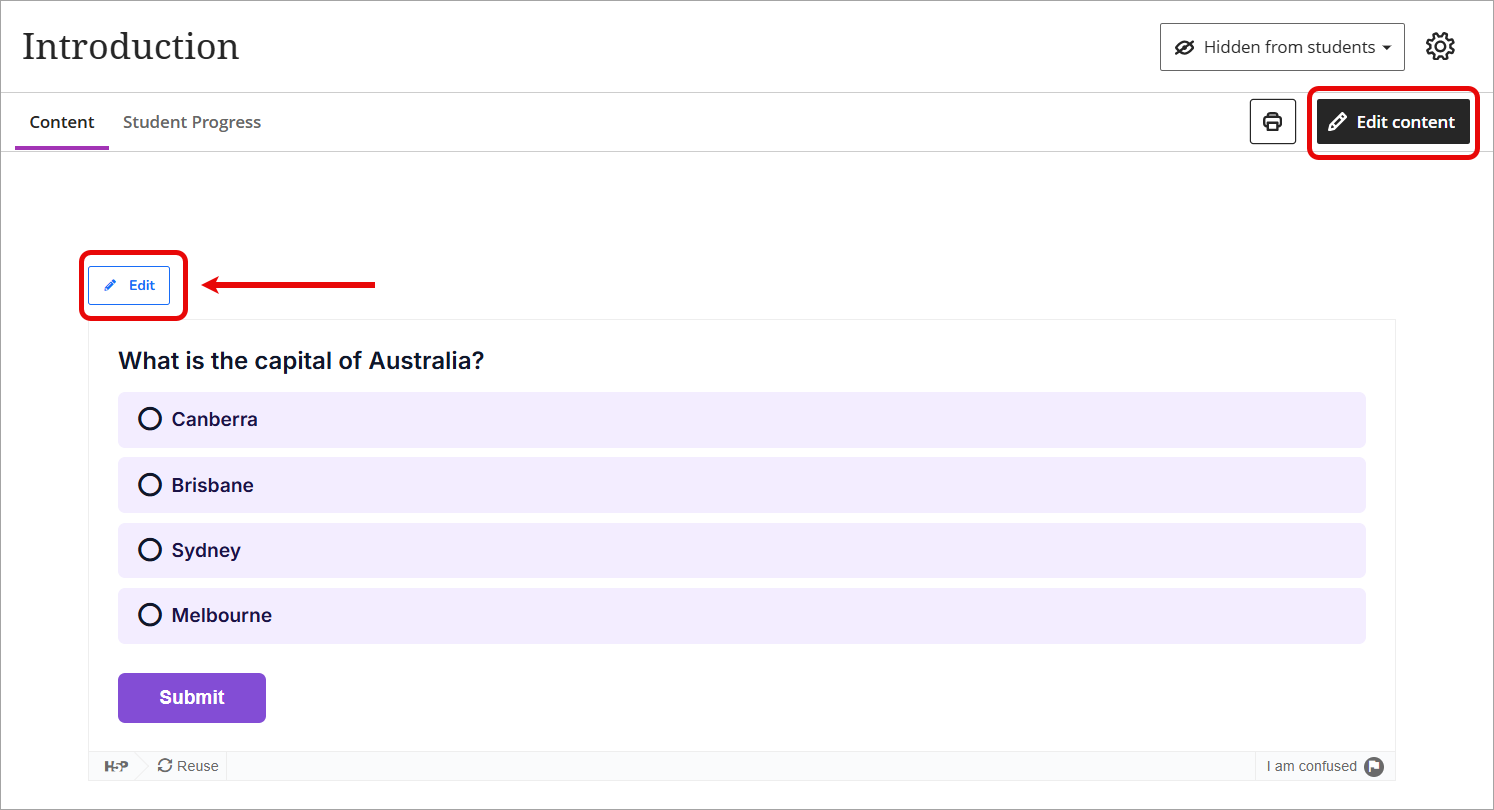
Finally, you will need to edit the embedded H5P object and update the LTI settings to disable scores being sent to Gradebook, as well as determine whether students can resume previous attempts and/or have access to their own detailed reports.
- Click on the Edit button above the H5P item you just embedded in your course.
- Click on the LTI Settings tab to view the options.
- For Choose when to send scores to the LMS, select Do not send score from the dropdown list.
- Optionally, check the Allow logged-in users to resume content checkbox.
- Optionally, check the Give learners access to view their own detailed reports.
- Click on the Save button.