
Create a Gradescope Assignment (Homework / Problem Set) (Ultra)
This guide will walk you through the process of setting up a Gradescope Assignment (Homework / Problem Set) for the submission of students' scanned handwritten assessment.
Note: Gradescope uses US naming conventions for academic terms and will default to the current North American term time. Requests have been made with the vendor to provide Australian terms but in the meantime, staff and students can simply ignore the term name and refer only to the course name.
4. Change Grading Defaults
Note: The Gradescope grading default is negative scoring, it is recommended that you consider changing the grading default to positive scoring.
Positive Scoring: The rubric items default to adding points, starting from 0.
Negative Scoring: The rubric items default to subtracting points from the total points available for that question.
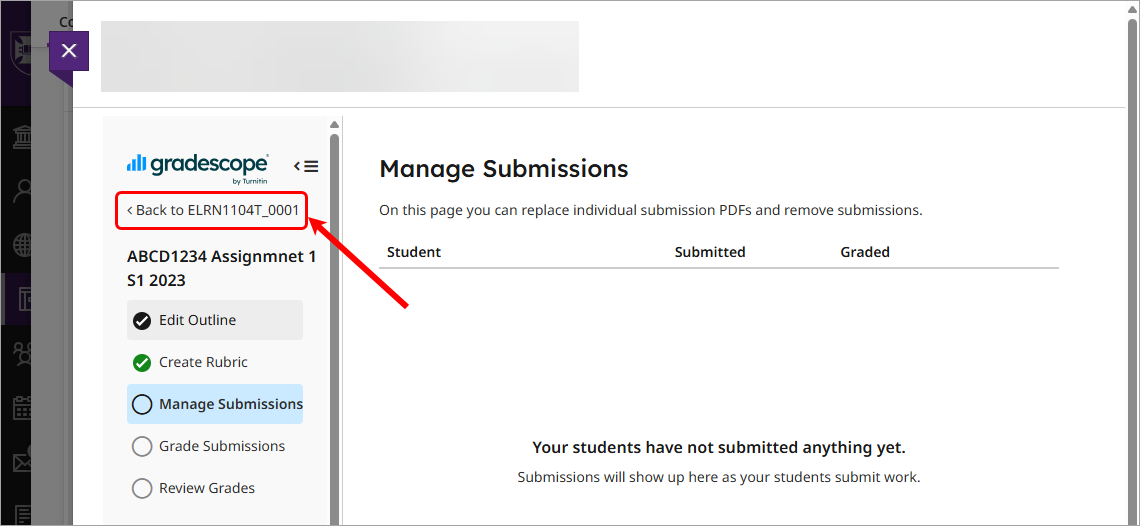
- Click on the Back to [Course code] link.
- Select Course Settings from the menu.
- Select the Positive scoring radio button for the setting Grading Defaults.
- Click on the Update Course button.

- Click on Assignments from the menu.
- Click on the required assignment from list.