
Create a Gradescope Assignment (Homework / Problem Set) (Ultra)
This guide will walk you through the process of setting up a Gradescope Assignment (Homework / Problem Set) for the submission of students' scanned handwritten assessment.
Note: Gradescope uses US naming conventions for academic terms and will default to the current North American term time. Requests have been made with the vendor to provide Australian terms but in the meantime, staff and students can simply ignore the term name and refer only to the course name.
3. Question outline
This step focuses on creating an outline of questions and subquestions to match your assignment sheet. This will be used by students to indicate the location of each question in their uploaded assignment file.
- If you have just created the Gradescope submission link, refresh your browser to view the assignment link.
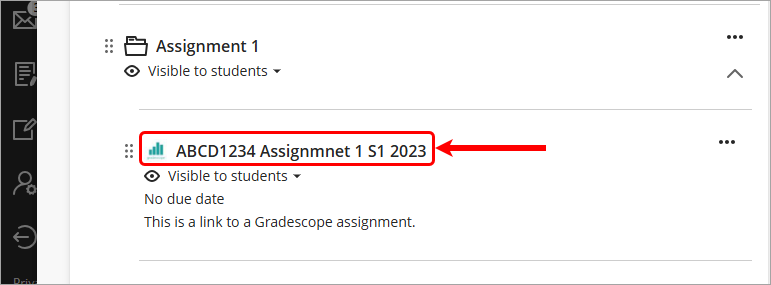
- Navigate to the assessment folder and click on the submission link.
- Click on the New Question link and enter your question title.
- Click on the + icon to add subquestions.
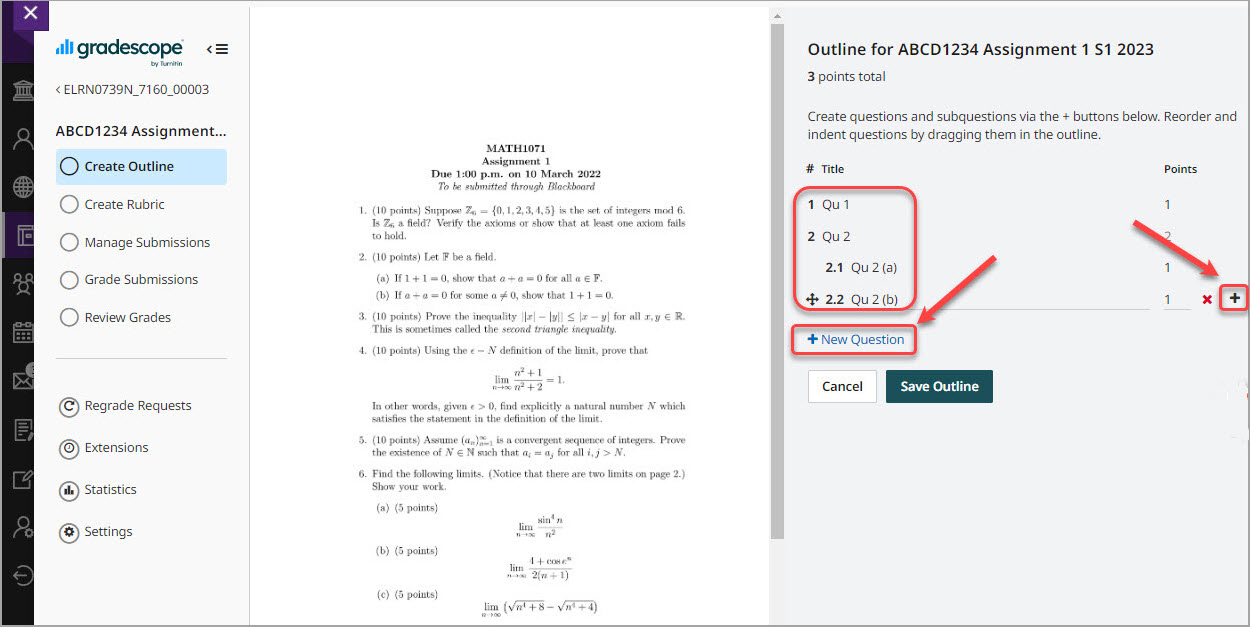
- Repeat for all questions.
- Enter the marks per question or subquestion in the Points column.
Tip: Add an additional question for the purpose of applying late penalties. Title the question Admin only - assign to first page and set the points as 0.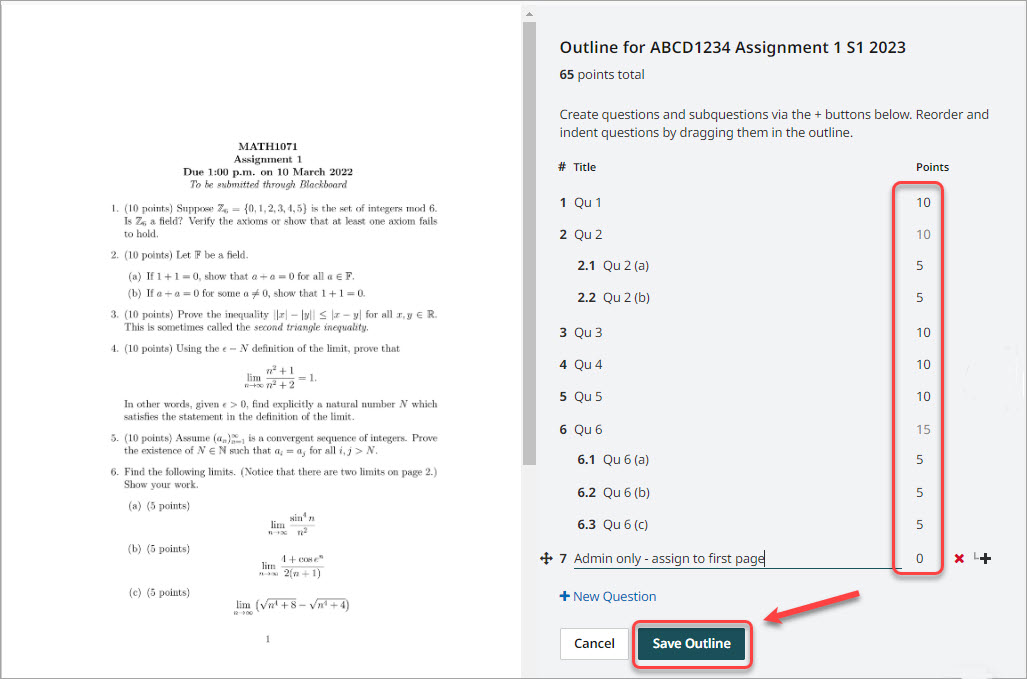
- Click on the Save Outline button.