Batch enrol users (Ultra)
The bulk enrol users process allows you to enrol a large number of staff to a Learn.UQ course using an excel spreadsheet.
2. Save the Excel spreadsheet
Note: You will need to save the excel spreadsheet as either a .txt or .csv. file.
- Click on the File tab.
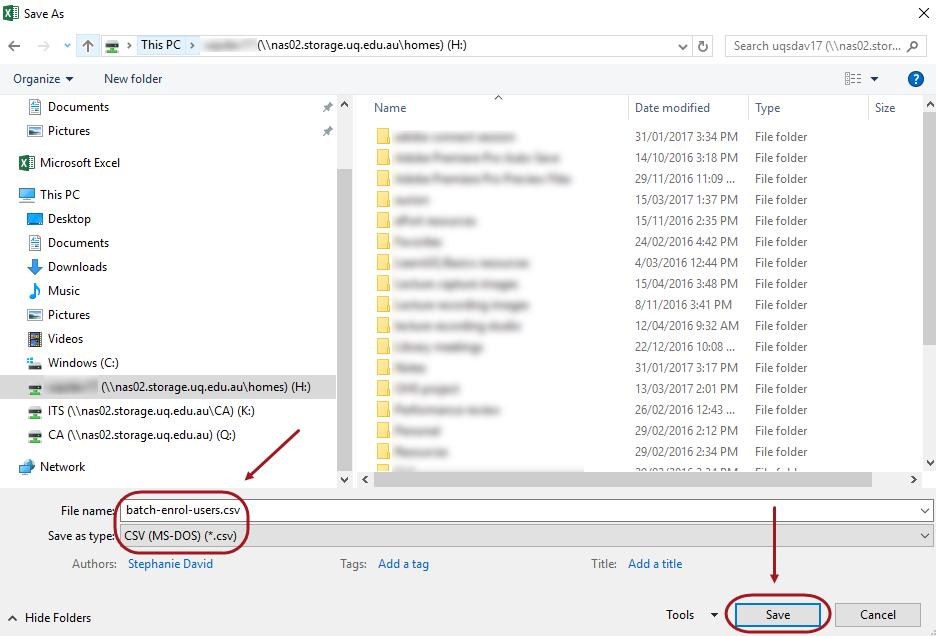
- Click on Save As button.
- Browse to the required area on your computer on where you would like to save the file.
- Specify the file name.
- Drop-down on the Save as type link and select either .txt or .csv. file link.
- Click on the Save button.
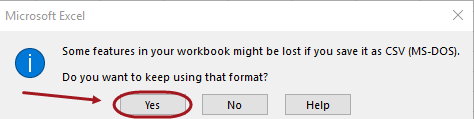
- Click on the Yes notification to proceed to saving the file.