Marks sent from Buddycheck to the Gradebook may be automatically released to students if the Gradebook column wasn’t hidden during the initial Buddycheck setup or if a new column is created when publishing marks.
Hide Buddycheck column in Gradebook
Note: The following steps assume that you have already published your marks from Buddycheck. For further information on publishing Buddycheck results, refer to the Release results and publish grades in Buddycheck guide
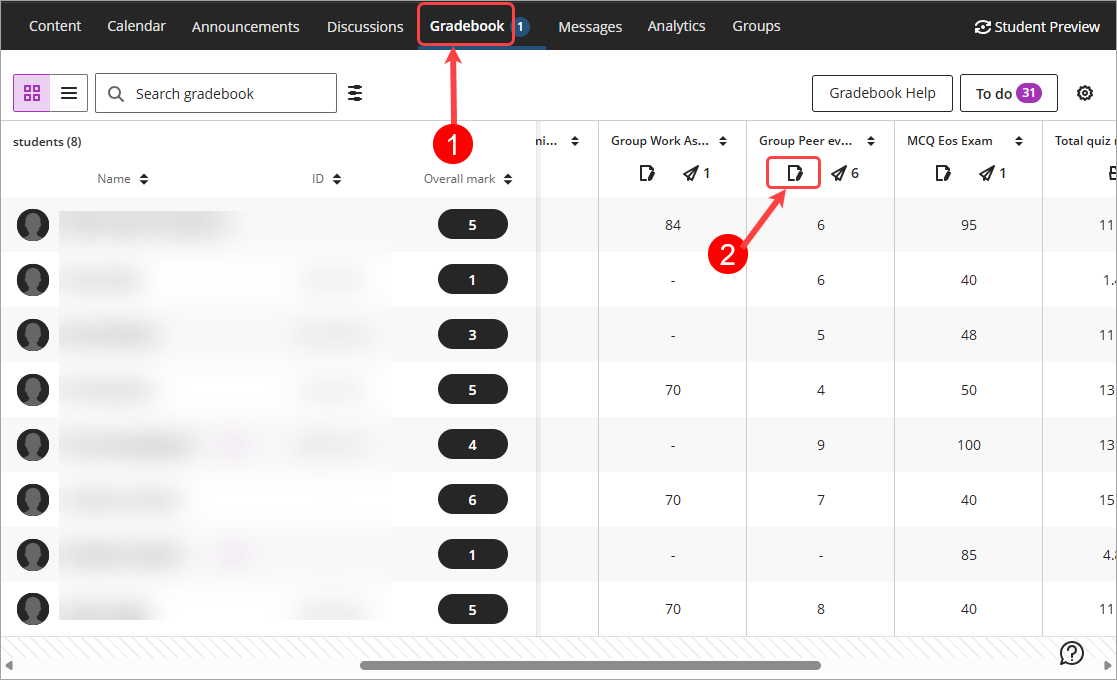
Select Gradebook from the navigation bar. Tip: The default view is Grid view, if you are in List view, please click on the Grid view (4 squares) button.
Locate the Buddycheck column, click on the Column icon.
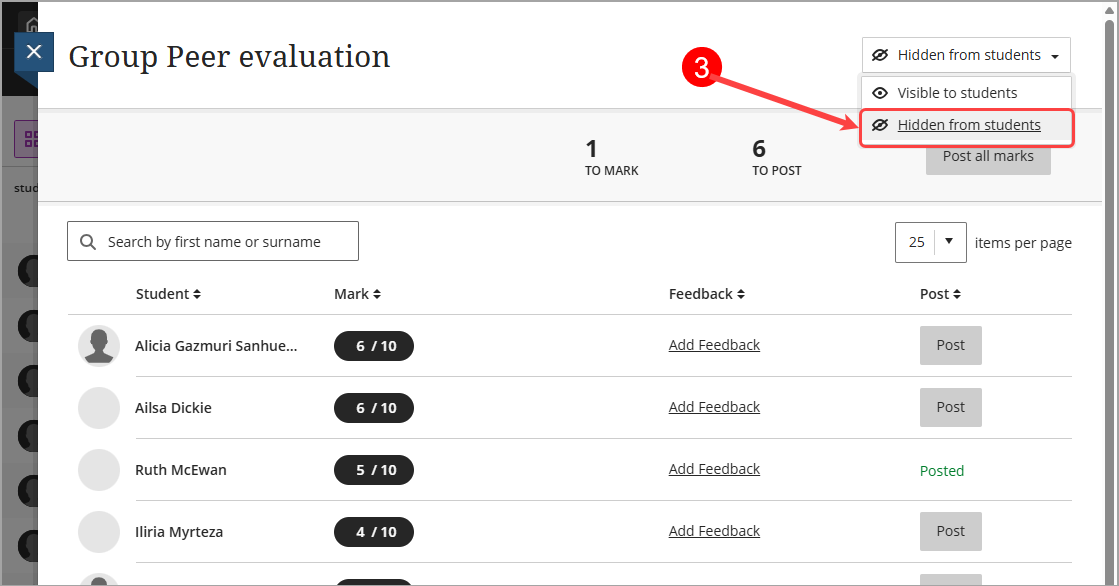
Select Hidden from students from the Visibility drop-down list.
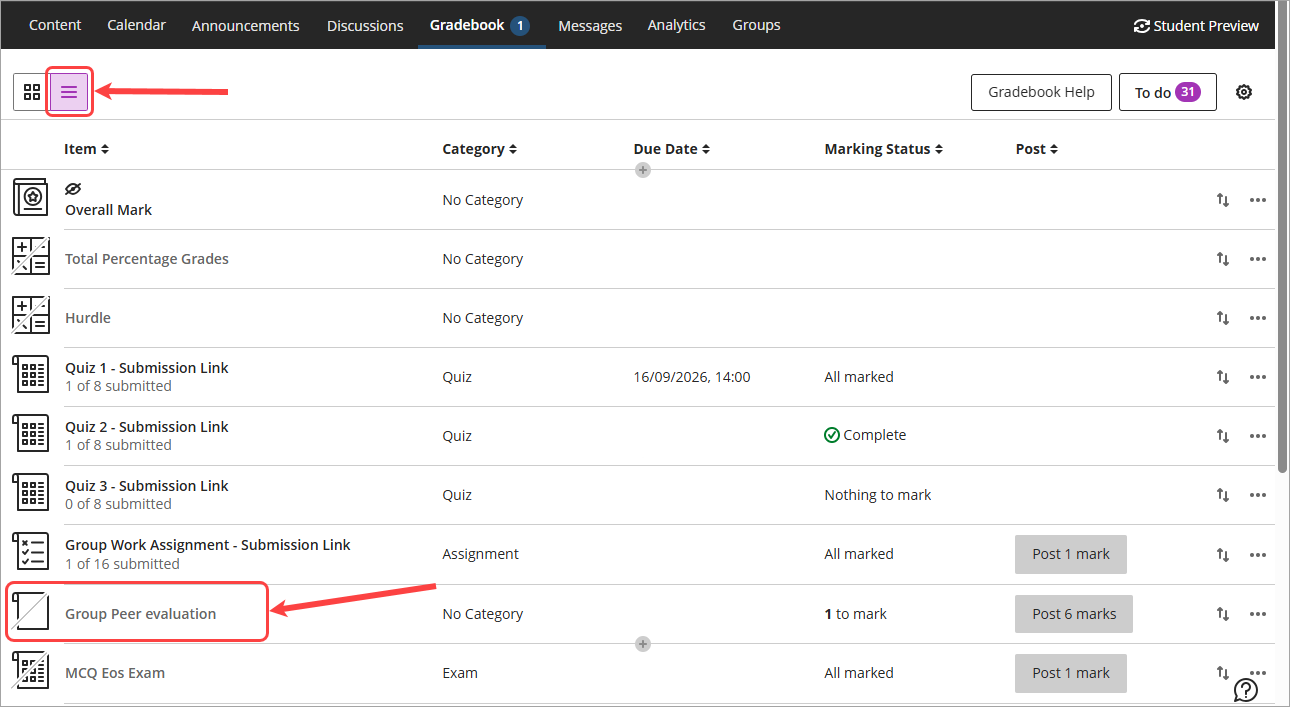
Revise the hidden column in the Gradebook list view from the navigation bar.