Submit a video assignment with EchoVideo (Ultra Student)
Important: DO NOT delete an EchoVideo file that you have submitted as part of an assignment. This will make the file unavailable for marking by your instructor.
EchoVideo is the University’s video hosting platform. It is used by staff and students to store video and audio files for use in Ultra courses. The same system is also used to record and publish lecture recordings.
Important: Videos cannot be uploaded directly to an Ultra assignment. All video submissions must first be uploaded to EchoVideo and embeded in order to complete the submission.
For step-by-step instructions on how to record your video or audio assignment, refer to the Record video or audio through EchoVideo guide.
For information on the recommended video upload settings, refer to the Video Content Recommendations guide.
1. Access the assignment submission link
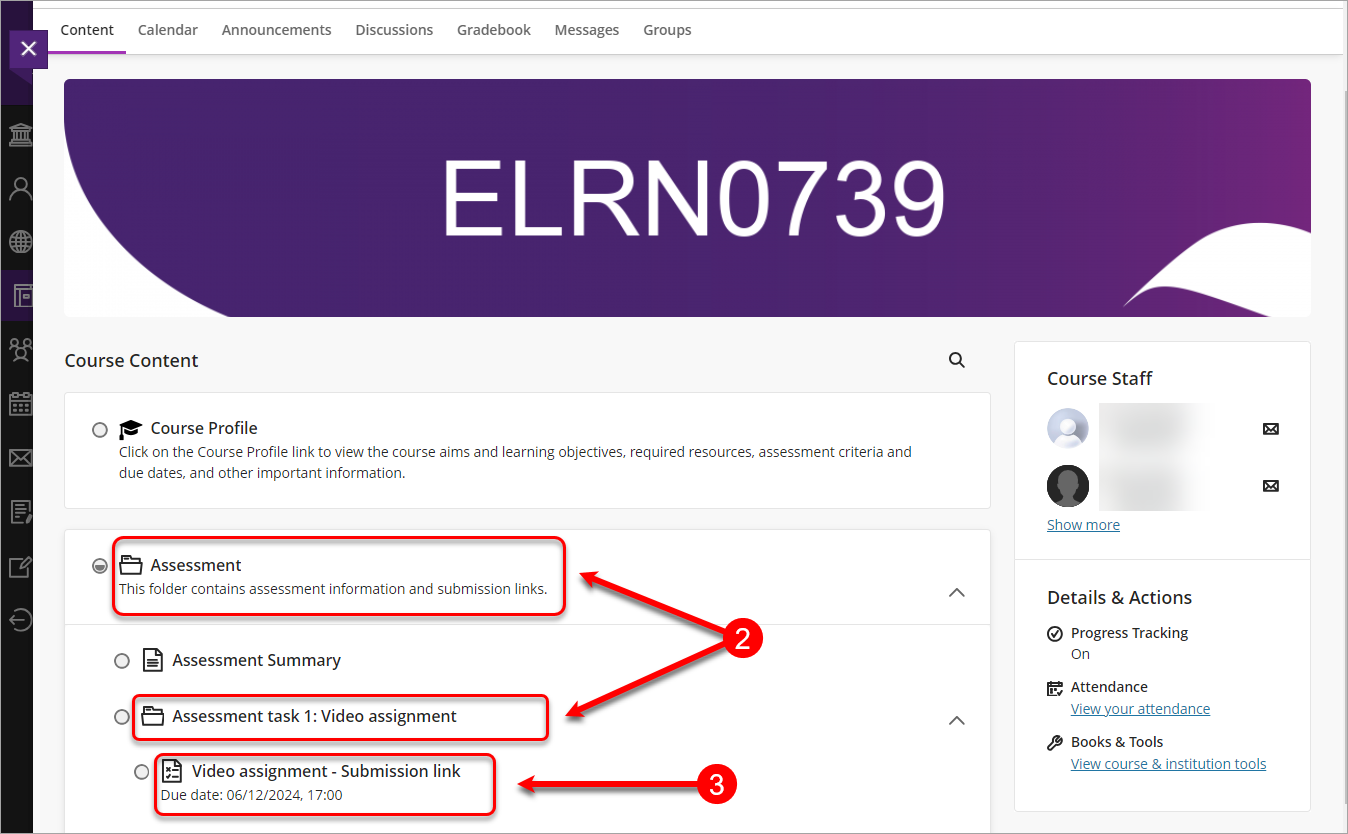
- Access your Learn.UQ course.
- Click on the Assessment folder and then click on the assessment task sub-folder.
- Click the link with the name of your assignment.
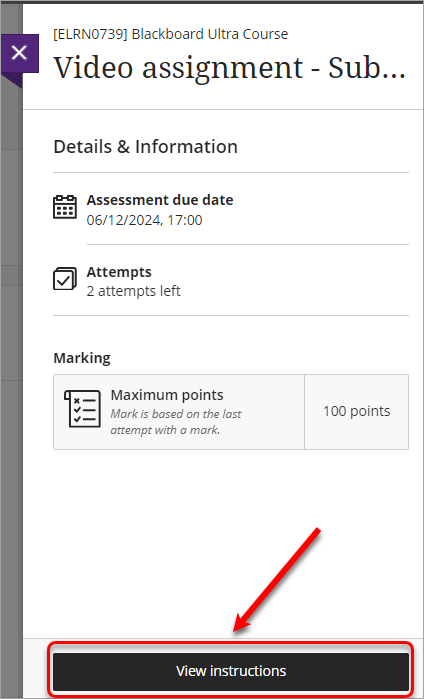
- Click on the View instructions button.