
Submit your Turnitin assignment (Ultra Student)
This guide will explain how to submit your Turnitin assignment.
1. Start your submission
To submit an assignment via TurnItIn, follow these steps:
- Access your Learn.UQ course.
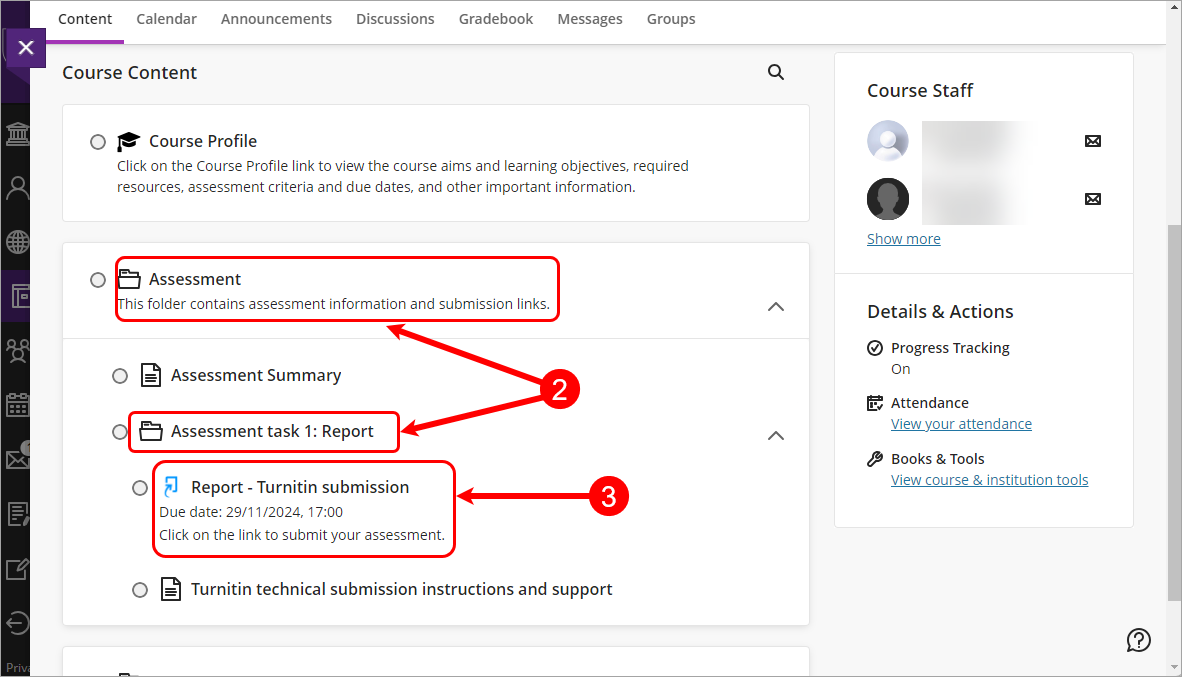
- Click on the Assessment folder and then click on the assessment task sub-folder.
- Click the link with the name of your assignment.
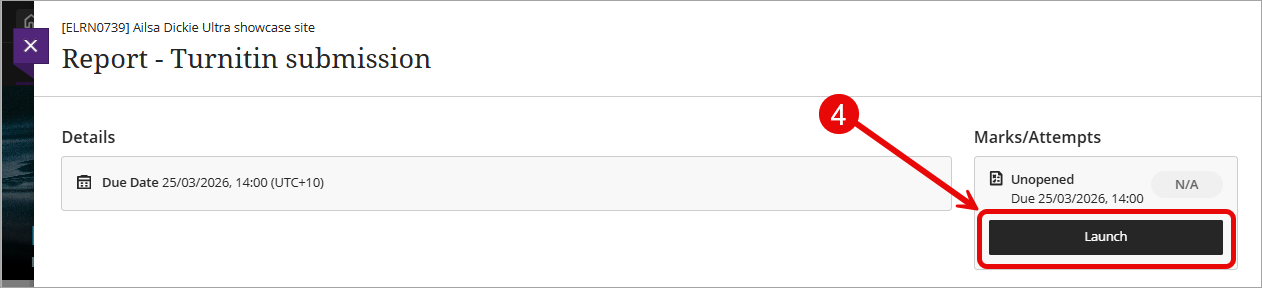
- Click on the Launch button.
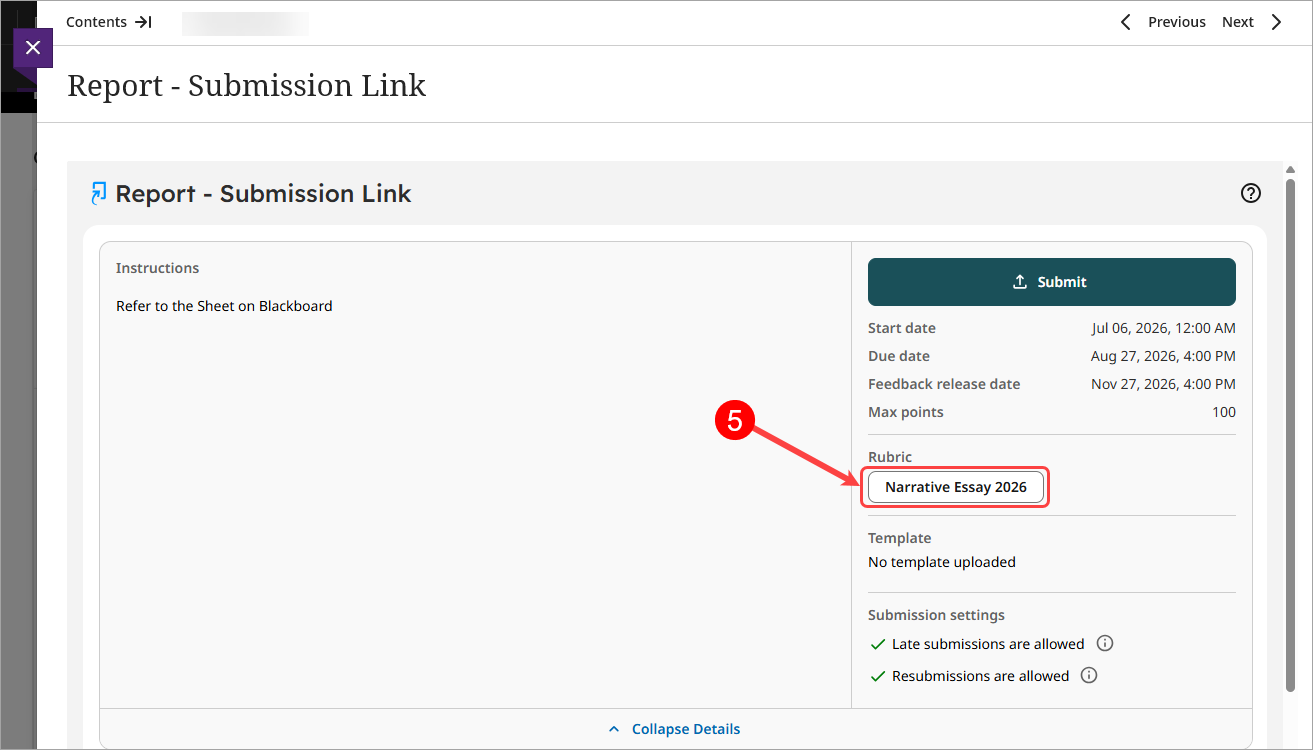
- To view the rubric click on the Rubric button.
- Click on the X button to close the rubric